vvdi-key-tool-plus-adds-8a-smart-card-for-toyota-2110-01

VVDI Key Tool Plus Adds 8A Smart Card for Toyota 2110

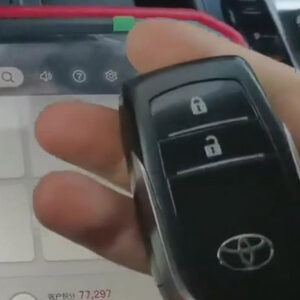
This post is available with how to use Xhorse VVDI Key Tool Plus to add an 8A smart card for Toyota 2110. Now, let’s read it together. This is the original key of Toyota 2110. First of all, we need to test its frequency. Here are the steps: 1. Go to “Remote Clone” and put the original key into the detection coil of VVDI Key Tool Plus, then press the key. Now, we can see that its frequRead More…
vvdi-key-tool-plus-grand-i10-remote-programming-matching-01

VVDI Key Tool Plus Hyundai Grand I10 Remote Programming & Matching

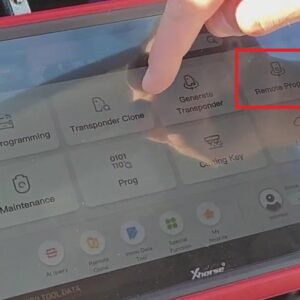
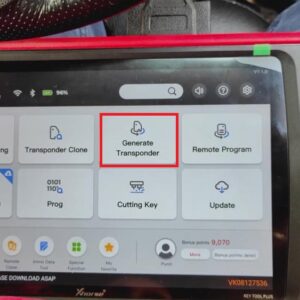
This article is available with the guide of Hyundai Grand I10 remote programming & matching with Xhorse VVDI Key Tool Plus Pad. Main steps: 1. Put the chip into VVDI Key Tool Plus and click “Generate Transponder”>>“ID 47”>> “New 7938 chip”>> “Generate”>>“Complete”. 2. Remove the chip from VVDI Key Tool Plus. 3. Click “Remote ProRead More…

how-to-use-xhorse-vvdi-key-tool-plus-for-the-1st-time-01

How to Use Xhorse VVDI Key Tool Plus for the 1st Time

Today, let’s talk about how to use Xhorse VVDI Key Tool Plus for the 1st time. Here is the procedure: 1. Turn on Xhorse VVDI Key Tool Plus. 2. Accept the disclaimer. 3. Choose “Click to login” button>>“Quick login(register)”>>enter the cell phone number>>send and enter the security code>>“Login”. 4. When the verification is successful, set tRead More…

xhorse-vvdi-key-tool-plus-update-and-language-change-01

Xhorse VVDI Key Tool Plus Update and Language Change

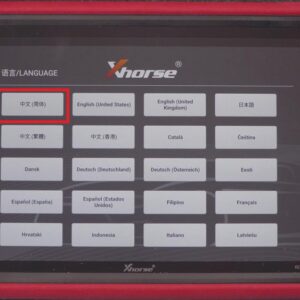
This article is available with the user manual of Xhorse VVDI Key Tool Plus update and language change. Here are the steps: 1. Click “Chinese(Simplified)”>>accept the disclaimer. 2. When the screen shows “Initializing the built-in library is finished”, click “Confirm”. 3. Choose the button shown in the picture. 4. Choose “System setting”>> turn on the Wi-Read More…

xhorse-vvdi-key-tool-plus-registration-and-binding-guide-01

Xhorse VVDI Key Tool Plus Registration and Binding Guide

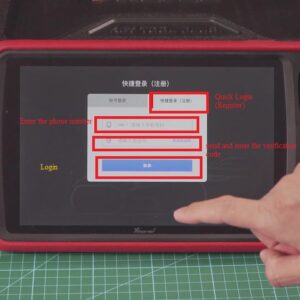
How to register and bind Xhorse VVDI Key Tool Plus? In this post, you’ll find the answer. Here are the steps: 1. Choose “Quick Login(Register)”>>Enter the phone number>>send and enter the verification code>>“Login”. 2. Bind the device: enter the account, the serial number of the device and verification code, then click “Bind”. 3. When activation is succeRead More…

vvdi-key-tool-plus-programs-range-rover-sport-2013-all-keys-lost-01

VVDI Key Tool Plus Programs Range Rover Sport 2013 All Keys Lost

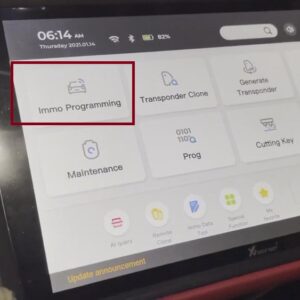
This article comes with the procedure of how to use Xhorse VVDI Key Tool Plus to program Range Rover Sport 2013 all keys lost. Here is the procedure: 1. Accept the disclaimer. 2. Choose “Immo programming”>>“Europe”>>“LandRover”>>“Range Rover”. 3. “Range Rover (sport)”>>“2008-2015”>>“Smart key type 1”>>“Begin”>&gRead More…

vvdi-key-tool-plus-programs-honda-accord-all-keys-lost-01

VVDI Key Tool Plus Programs Honda Accord All Keys Lost

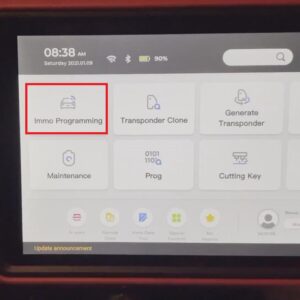
Today, I watch a video about how to use Xhorse VVDI Key Tool Plus to program Honda Accord all keys lost. Here is the procedure: 1. Accept the disclaimer. 2. “Immo programming”>>“Asia”>>“Honda”>>“Accord”>>“Smart key system(2014-)”. 3. “Begin”>>“All smart keys are lost”. 4. Put a wanted programming smart key inside thRead More…

vvdi-key-tool-plus-programs-toyota-corolla-2018-key-01

Xhorse VVDI KEY TOOL PLUS Programs Toyota Corolla 2018 Key

Hello, guys, today we’re gonna program Toyota Corolla 2018 key with Xhorse VVDI Key Tool Plus. Before that, we need to generate the remote and clone the chip first. Here are the steps: Generate the remote: 1. Connect the remote with VVDI Key Tool Plus. 2. Go to “Remote Program”>>“Asia”>>“Toyota”>>“Corolla”. 3. Choose “HYQ12BDM 14-19”>>Read More…

use-vvdi-key-tool-plus-to-read-bmw-m95256-eeprom-data-03

Use VVDI Key Tool Plus to Read BMW M95256 EEPROM Data

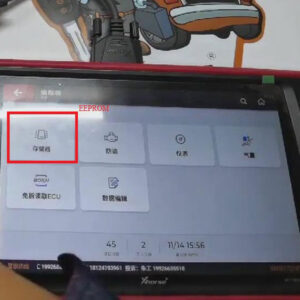
Today, I’ll show you how to read BMW M95296 EEPROM data with Xhorse VVDI Key Tool Plus Pad. Preparation: 8-pin socket clip adapter. VVDI Key Tool Plus EEPROM Steps: 1. Remove & clean the glue around EEPROM first. 2. Connect 8-pin socket clip adapter to EEPROM and VVDI Key Tool Plus, then fix 8-pin socket clip adapter. 3. Click “EEPROM”>> “ST”>>“M95XXX”Read More…

use-vvdi-key-tool-plus-to-read-write-benz-sl-500-2004-key-03

Use VVDI Key Tool Plus to Read & Write Benz SL 500 2004 Key

My Benz SL 500 2004 key is broken and doesn’t work. And in this post, I’ll show you how to use VVDI Key Tool Plus to read & write Benz SL 500 2004 Key. Here is the procedure: 1. I took the NEC chip and soldered it to the NECadapter. Then plug it into VVDI Key Tool Plus and we can see that the adapter has been plugged into VVDI Key Tool Plus. 2. Now, let’s see if it’sRead More…