Xhorse Vvdi Key Tool Plus Error

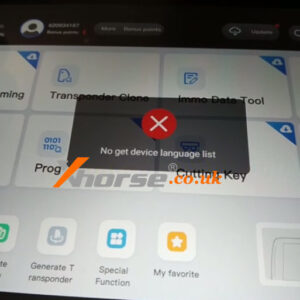
(Fixed) VVDI Key Tool Plus “No get device language list” error

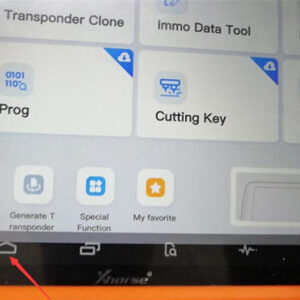
Customer Problem: When I try to update my vvdi key tool plus pad I get the “No get device language list” error, what should I do? Solution: Clear the data, then update. Steps: 1. Select the Home button in the hidden taskbar of the current page to return to the main interface. 2. Select “Settings”. 3. Select “System”→“Advanced” 4. Choose “Reset options”. Read More…

Vvdi Key Tool Plus Pad

VVDI Key Tool Plus Update: Even More Capable in Toyota Models

VVDI Key Tool Plus Latest Update: Even More Capable in Toyota Models! Non-Smart Key • 4D/4D+: Support clone, add key via OBD, all key lost via OBD • 8A: Support clone, add key via OBD, all key lost (non-smart key adapter needed) Smart Key • 4D/4D+: Support add key via OBD, all key lost via OBD • 8A(88): Support add key via OBD, all key lost (disassembling to read EEPROM) • 8A(Read More…

Xhorse Vvdi Key Tool Plus Adds 2015 Bmw 740li Key Via Dump (1)

Xhorse VVDI Key Tool Plus Adds 2015 BMW 740Li Key via Dump

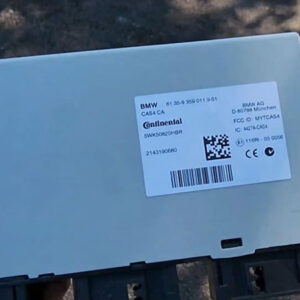
Today I’m gonna add a key for 2015 BMW 740Li F chassis with Xhorse VVDI Key Tool Plus Pad. By reading D-flash & P-flash without unlocking CAS, need to remove bottom panel from vehicle. Open outer shell, it’s 1N35H. Insert XDNP12GL Solder-Free Adapter into module. Then connect to Key Tool Plus programmer, let’s ready for reading. 1. Read & Save Data Prog >> IMMO >&gRead More…

Xhorse Vvdi Key Tool Plus Add Hyundai Xcent Smart Key Success (1)

Xhorse VVDI Key Tool Plus Add Hyundai Xcent Smart Key Success

Xhorse VVDI Key Tool Plus Pad can add a smart key for 2014-2016 Hyundai Xcent via reading password successfully. Free charge, easy operation by OBD. The whole process only took 4 minutes with 2 steps. Next, let’s take a look at how it works. Operation Procedure Step1. Read Password Insert VVDI Key Tool Plus cable into OBD, Immo programming >> Asia >> Hyundai >> Read PIN cRead More…

Xhorse Vvdi Key Tool Plus Add Toyota Harrier 2016 Smart Key (1)

Xhorse VVDI Key Tool Plus Add Toyota Harrier 2016 Smart Key

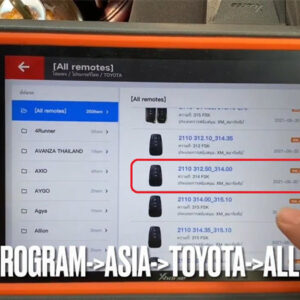
How to use Xhorse VVDI Key Tool Plus Pad to program a new Toyota Harrier 2016 smart key? Follow the steps below to learn how to do. This vehicle is Toyota Harrier Hybrid push start. Prepare a working key & a new key(XM-TOY00GL). Generate Remote Put the new PCB into coil. Connect VVDI Key Tool Plus with OBD2, click Remote program >> Asia >> TOYOTA >> All remotes >Read More…

Bmw Frm E Series Data Repair Via Xhorse Vvdi Key Tool Plus (1)

BMW FRM E Series Data Repair via Xhorse VVDI Key Tool Plus

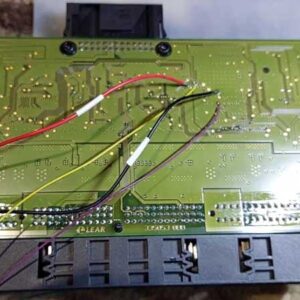
Xhorse VVDI Key Tool Plus Tablet can repair BMW FRM E series MC9S12XEQ384 data successfully. Below is a quick review from my today’s demo on bench. Remove BMW FRM module, connect with VVDI Key Tool Plus by soldering. Wiring diagram can be found in the path: Prog >> Other >> BMW >> FRM-E-SERIES(MS9S12XEQ384) DATA REPAIR >> Wired If you have the BMW Solder-fRead More…

fixed-key-tool-plus-hyundai-8a-smart-key-programming-password-error-1

Fixed! Key Tool Plus Hyundai 8A Smart Key Programming Password Error

One customer gave feedback that VVDI Key Tool Plus gave an error after he entered the PIN code and tried to press the start button. The detailed condition: Tried to add a smart key to Azera 2013 8A, entered the pin code when trying to touch the start button it gave an error. Then tried again with the same password it gave the wrong password error. What I do not understand is if it was a wrong Read More…

xhorse-vvdi-key-tool-plus-cannot-be-charged-and-opened-up-solution-1

Xhorse VVDI Key Tool Plus Cannot be Charged and Opened Up Solution

A customer gave feedback that he couldn’t charge and opened up VVDI Key Tool Plus Pad. Our xhorse.co.uk engineer answered: Connect the device to a power supply tester and a car by OBD cable, to see if you can open it up. If you cannot turn it on bench or in the car. Take apart the device to check the battery connection. 3 steps to check built-in battery connection of Key TooRead More…

xhorse-vvdi-key-tool-plus-tokens-08

How to View Xhorse Key Tool Plus Mercedes Benz / VW Tokens?

How to view the tokens for Mercedes Benz and VW MQB with Xhorse VVDI Key Tool Plus in step by step.   Part 1. How to View MQB Online Tokens with VVDI Key Tool Plus Immo programming -> VW -> Get immo data online -> Start programming -> Balance inquiry   Part 2. How to View M Mercedes Benz Tokens with VVDI Key Tool Plus Immo programming -> Benz –Read More…

solved-xhorse-vvdi-key-tool-plus-screen-stuck-01

How to do if Xhorse VVDI Key Tool Plus Pad Screen Stuck?

Sometimes, Xhorse VVDI Key Tool Plus Pad screen will be stuck due to operation mistake. How to solve the problem? Follow the solution below can let VVDI Key Tool Plus return to normal use. Steps 1. Go to restore factory setting. Home button >> System >> Reset Options Steps 2.Update software via mobile’s hotspot. Go to “Settings”to change WIFI to connect withRead More…