
solved-xhorse-vvdi-key-tool-plus-screen-stuck-01

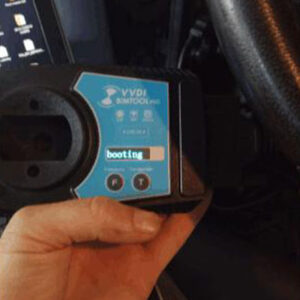
How to do if Xhorse VVDI Key Tool Plus Pad Screen Stuck?

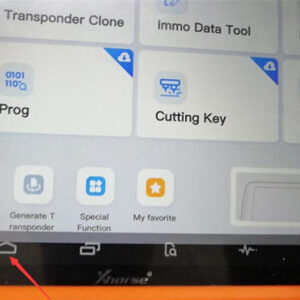
Sometimes, Xhorse VVDI Key Tool Plus Pad screen will be stuck due to operation mistake. How to solve the problem? Follow the solution below can let VVDI Key Tool Plus return to normal use. Steps 1. Go to restore factory setting. Home button >> System >> Reset Options Steps 2.Update software via mobile’s hotspot. Go to “Settings”to change WIFI to connect withRead More…
vvdi-key-tool-max-xn-remote-02

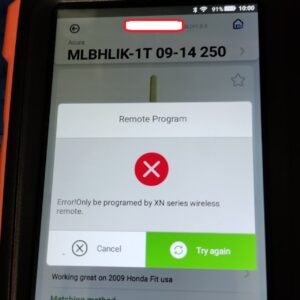
Fix VVDI Key Tool Max “Error! Only be programmed by XN series wireless remote”

VVDI Key Tool Max got error “Unsupport” “Error! Only be programmed by XN series wireless remote”. Look at the following images. I took out the battery and nothing happen.   Actually, the answer is on the screen use xn remote. https://www.xhorsetool.co.uk/wholesale/remote-keys-chips/xn-series-wireless-remotewith-transponder/ SA1783-5: XHORSE VVDI BE Key Pro HKSA1670-1: XHORRead More…

vvdi-super-chip-generate-suzuki-maruti-id65-omni-03

vvdi super chip and key tool max generate Suzuki Maruti ID65 (6C01) Omni & ID46 (PCF7937)

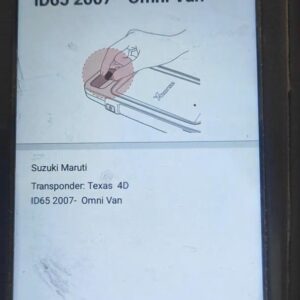
How to use Xhorse VVDI key tool max and vvdi super chip XT27 to generate Suzuki Maruti ID65 (6C01) Omni & ID46 (PCF7937). The whole operation procedure is pleasant.   Part 1. Generate Transponder Suzuki Maruti ID65 Omni Van with VVDI key tool max and vvdi super chip  Select “Generate Transponder” -> Suzuki -> Maruti -> ID65 2007 – Omni Van -> Generate ->ComRead More…

update-xhorse-vvdi-bimtool-pro-firmware-to-latest-version-(3)

Free Download VVDI BMW Tool/ BIM ToolPro V1.8.0

Xhorse VVDI BMW Tool/ BIMTool Pro Software & Update to V1.8.0 on July.14th ,2021 Link here Free Download V1.8.0 VVDI BMW Tool/ BIM ToolPro Software Details: ********   This version must update the device firmware to V1.8.0   ******** 1. Require update firmware V1.8.0: Support check licnese(Menu->Synchronize device time->Check license) 2. After update to V1.8.0, you must Read More…

update-xhorse-vvdi-bimtool-pro-firmware-to-latest-version-(3)

How to Update Xhorse VVDI BIMTool Pro Firmware to Latest Version?

The latest version of Xhorse VVDI BMW BIMTool Pro fixed bugs to keep a much stable system than before. So it is recommended to update the new version for longer use. Some users may have problems with BIMTool Pro, that is because they are still using older version.   How to update VVDI BMW BIMTool firmware to the latest version? 1.Start BMW BIMTool software, try to open network configRead More…

xhorse-dolphin-xp005-self-test-01

Xhorse Dolphin XP005: how to do self-test and test conductivity?

When you have a problem with Xhorse Dolphin XP005 to cut the key, you are advised to do a self-test and test conductivity by following this article. On the Xhorse APP of the Dolphin page, select “Device information” and then “Electrical Conductivity Measurement” to do. How do I know if I need to do a self-test and test conductivity? Here we take one Dolphin XP005 user’s problem fRead More…

honda-crv-2018-adds-a-id47-key-via-vvdi-key-tool-plus-success-(1)

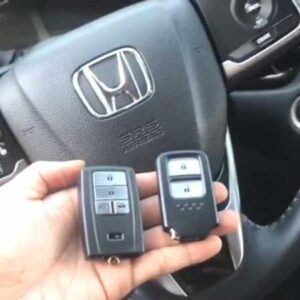
Honda CRV 2018 Adds a ID47 Key via VVDI Key Tool Plus Success

How to use Xhorse VVDI Key Tool Plus Pad to program a new smart key ID47 for Honda CRV 2018 by OBD? Following I’m gonna make a quick demonstration. The original working key is 433 MHZ frequency. Prepare a new Xhorse Smart Key to be programmed. Having connected VVDI Key Tool Plus into OBD, press Immo programming >> Honda >> Select by type >> Smart key system 2 >>Read More…

use-xhorse-smart-key-box-01

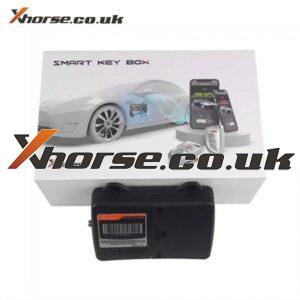
What is Xhorse Smart Key Box, how to install it into Your Car?

What’s Xhorse XDSKE0EN Smart Key Box Bluetooth Adapter? Xhorse Smart Key Box is used to access a vehicle using a mobile phone app via Bluetooth connection. That is this adapter allows you to add Bluetooth Connectivity to the Central Locking System / Keyless Entry System of any vehicle that you can configure an Xhorse Universal Remote to operate.   This adapter will allow wireRead More…

21061616239016049976

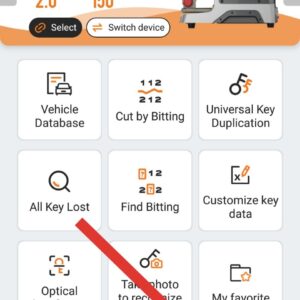
How to check power board of Xhorse Condor XC-Mini Plus?

Xhorse Condor XC-Mini Plus is the upgraded version of Condor XC MINI Condor XC-Mini Plus is automatic Key Cutting Machine, 3 year warranty Comes with an adjustable screen, bigger dust cover, and larger bottom tray, which is more friendly and safer Ship from UK and Czech warehouse, fast and no tax. How to check power board of Xhorse Condor XC-Mini Plus? 1. Put down the machine and take outRead More…

xhorse-condor-cutter-diameter-too-large

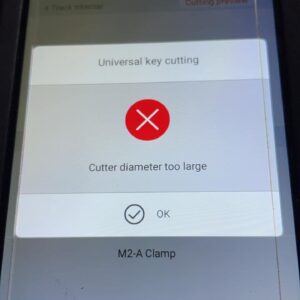
Xhorse Dolphin universal copy key error “Cutter diameter too large” solution

After last update Xhorse Dolphin XP005, I keep getting this error for universal copy key “Cutter diameter too large”. I try to do the calibration but still same problem. 1.5mm size cutter I am using, I chose the correct size when do the calibration. This problem only recently come up after the update.   Suggestion: So I’ve cut quite a few keys since the update and had zero issueRead More…