
Xhorse Dolphin Ii Vs Cgdi Monster G08 Which Wins In 2026 4

Xhorse Dolphin II vs. CGDI Monster G08: Which Wins in 2026?

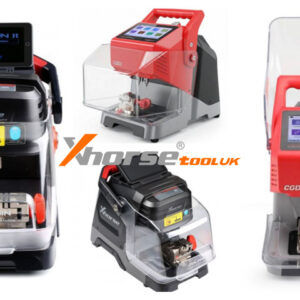
For any mobile locksmith, the decision between the Xhorse Dolphin XP005L and the CGDI Monster G08 often comes down to one question: Versatility or Velocity? Both machines represent the pinnacle of portable CNC key cutting technology in 2026, yet they serve very different daily grinds. While they share high-precision DNA and smart app control, understanding their distinct engineering priorities is Read More…
How To Measure Dolphin Xp005 Xp005l Battery New Version 7

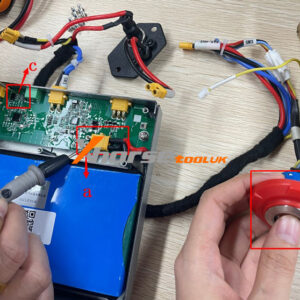
How to Measure Dolphin XP005/XP005L Battery New Version?

Purpose: A step-by-step guide for users to self-diagnose the battery and BMS health of the Xhorse Dolphin XP-005/005L Key Cutting Machine using a multimeter. 1. Preparation Required tools: screwdriver, multimeter. Ensure the device is powered off before starting. 2. Remove Back Cover (If Required) Unscrew 8 screws on the back cover. Keep screws safe for reassembly. 3. Locate TRead More…

How To Use Vvdi Remote Functions Detection Query Cloning 1

How to Use VVDI Remote Functions: Detection, Query& Cloning?

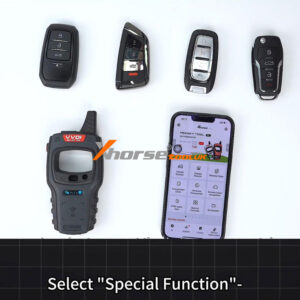
VVDI Remote Keys offer a streamlined approach to key programming and diagnostics. Here’s a clear, step-by-step breakdown of essential functions to enhance your workflow. Applicable to MINI Key Tool, Key Tool Max/Key Tool Max Pro, Key Tool MIDI and Key Tool Plus. 1. Detect Remote Information Begin by navigating to the Special Function > VVDI Remote Function > Detect Remote interface. PlacRead More…

Xhorse Vvdi Xt57b Vs Xt27a Choosing The Right Super Chip 1

Xhorse VVDI XT57B vs XT27A: Choosing the Right Super Chip

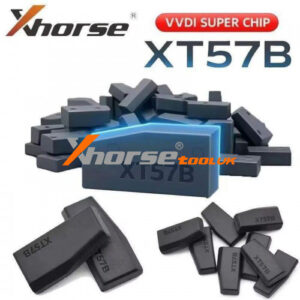
The Xhorse VVDI Super Transponder XT57B offers enhanced compatibility for automotive locksmiths using Xhorse tools including Mini Key Tool, Key Tool Max Pro, Key Tool Plus, etc. Building upon the proven XT27A Super Chip, this new model delivers expanded immobilizer coverage while maintaining full backward compatibility. Comparison: XT57B vs XT27A Type XT57B XT27A Image IDRead More…

How To Clone Bmw G U Chassis Bdc3 Key With Xhorse Key Tool Plus 1

How to Clone BMW G/U Chassis BDC3 Key with Xhorse Key Tool Plus?

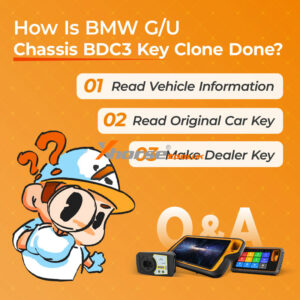
This guide provides a step-by-step tutorial on cloning a BMW G/U Chassis BDC3 key using the Xhorse VVDI Key Tool Plus. The process is simple and applicable to Key Tool MIDI and VVDI2 as well. Step 1: Read Vehicle Information ① Enter the Immo Programming menu and select the BMW model. ② Choose G/U Chassis BDC03/BCP IMMO System. ③ Click Start Programming. ④ Click Read Vehicle InfoRead More…

How To Fix Xhorse Vvdi2 Software Dont Have This Authorize Error 1

How to Fix Xhorse VVDI2 Software Doesn’t Have This Authorization Error?

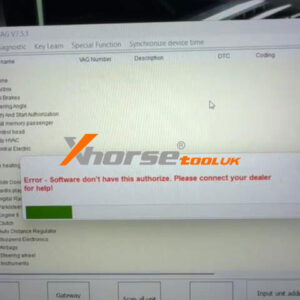
Error Message: “Error – Software doesn’t have this authorization. Please connect with your dealer for help!” This prompt typically appears when the Xhorse VVDI2 device cannot verify its software license or authorization status. Follow the steps below to resolve the issue quickly. Step 1: Check Device Authorization Status ① First, read the device to confirm whether the authorization is acRead More…

Xhorse Vvdi Key Tool Plus Sfd Manual Unlock Tutorial For Vag 1

Xhorse VVDI Key Tool Plus SFD Manual Unlock Tutorial for VAG

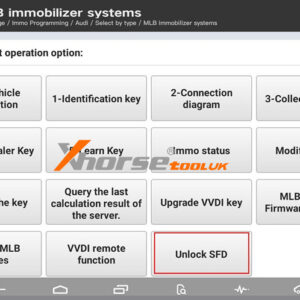
Great news: The latest Xhorse VVDI Key Tool Plus database now supports manual unlocking of VAG/Audi SFD security gateways. This guide outlines the step-by-step process for unlocking SFD-protected control units, enabling vehicle diagnostics and key programming. Applicable Devices: VVDI Key Tool Plus VVDI Key Tool MIDI Before You Begin: Ensure your device database is updated to the lRead More…

Solved Xhorse Key Tool Plus Vt02 Usb Tpms Connection Error 1

Solved: Xhorse Key Tool Plus “VT02 USB” TPMS Connection Error

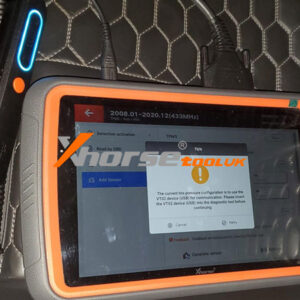
If you’re using the Xhorse VVDI Key Tool Plus with a TPMS adapter from the Key Tool MIDI and encounter the message: “The current tire pressure configuration is to use the VT02 device(USB) for communication. Please insert the VT02 device(USB) into the diagnostic tool before continuing.” Don’t worry – this is a common configuration issue that can be resolved quickly. Here’s what the message meanRead More…

Xhorse Multi Prog Review Easy Clone A Vw Cc Med17 1 Ecu 1

Xhorse Multi-Prog Review: Easy Clone A VW CC MED17.1ECU

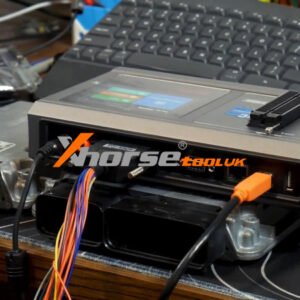
Hey everyone, let me walk you through an ECU cloning job I just wrapped up using the Xhorse Multi Prog. A customer dropped off two modules – one original, and a used one from eBay – and asked me to copy the data from the original to the replacement. No complicated instructions, just a straightforward clone. Here’s how it went. Step1. Connect First, I hooked up the original ECU. The Multi-Prog Read More…

Xhorse Wireless Remote Vs Super Remote 1

Wireless Remote vs. Super Remote: A Comparative Overview

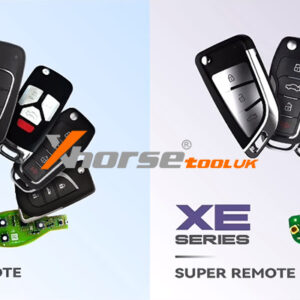
This guide outlines the key differences between the Wireless Remote and Super Remote, including their hardware, supported types, and usage notes. 1. Core Identification & Hardware Wireless Remote: Corresponds to the XN series. It has an inductor on the back but does not contain triodes (transistors). Super Remote: Corresponds to the XE series. It features two triodes (transistors) and aRead More…