
xp005l

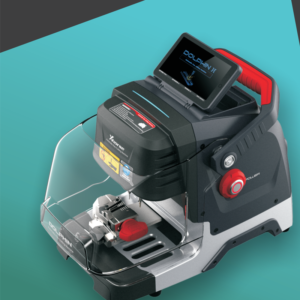
Dolphin XP005L Dolphin II Universal Duplication

Dolphin XP005L Dolphin II Universal Duplication 1) Click on “Universal Duplication”. 2) Take the track external key as an example, click on “4 Track external” to enter the corresponding interface. 3) Choose the right alignment and clamp surface. 4) Click on “Learn Key” to start and there will be a corresponding pop-up prompt after finished. 5) The “Cut Key* button will be cRead More…
010

How to use cut by code for Dolphin XP005L Dolphin II

How to use cut by code for Dolphin XP005L Dolphin II? 2 ways of using the key code to make a key: Method 1: Making a key without the original key: Use some special tool to get the key code. 1) Click on “Cut By Code” 2) Select or input a key blank type. 3) Select the keylype. 4) Fix the key according to the picture show, select proper side of damp and fix the key in corrRead More…

xp005l

How to use the vehicle database for Dolphin XP005L Dolphin II ?

How to use the vehicle database for Dolphin XP005L Dolphin II ? Make sure the model and year of the car first before you use the vehicle database. 1) Click on “Vehicle”. 2) Select or input a car maker and enter next interface. 3) Select car model and enter next interface. 4) Click on type and year to enter processing interface. 5) Follow the tips place the key correcflyRead More…

xhorsebekey

How to Assemble VVDI BE key Pro improved version board?

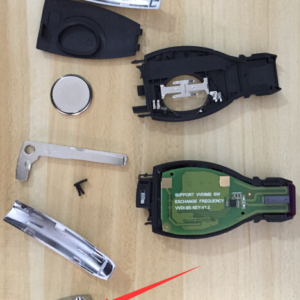
Xhorse VVDI BE Key Pro with Best Quality Benz Smart Key Shell 3 Button Single Battery 1 VVDI BE Key Pro = 200 Points = 1 Token for VVDI MB Source:https://www.xhorsetool.co.uk/wholesale/xhorse-vvdi-be-key-pro-improved-version-with-smart-key-shell-for-mercedes-benz.html How to assemble VVDI BE key with Key Shell? 1. Put the VVDI BE key Pro improved version PCB into the case. 2. CoRead More…

xp005l

Xhorse Dolphin XP005L Dolphin II Cutting Calibration

Xhorse Dolphin XP005L Dolphin II Cutting Calibration 1) Click on “System” on the operation main interface. 2) Click on “Machine Parameter”. 3) Click on “Cutting Calibration”. 4) Please select the diameter of the milling cutter that you installed. 5) Operate by following the tips and click on “Start”. *Do not use the key HON66 that has cutted, you must use a brand Read More…

010

How To Use Your Smart Pphone APP To Connect Xhorse Dolphin XP005L Dolphin II?

1. Users can download Xhorse APP in the App Store to obtain it, or directly scan the QR code as shown below. 2. Power the machine and turn it on, open Xhorse APP, switch to the CNC machine interface, click on “Switch Device” and select Dlophin II. 3. Click on “Select” and turn on Bluetooth, click the SN of the device to connect to the machine (Users can set up the automatic connection function aRead More…

Xhorse Dolphin II XP-005L

Xhorse Dolphin XP-005L Vs Dolphin XP-005

Xhorse Dolphin XP-005L, the upgrade version of Dolphin XP-005, It is the 2nd generation product of Dolphin, also called Xhorse Dolphin II, comes with a touch screen and connects via one phone via Bluetooth and Wifi. Both are compact design, lightweight, much easier to take it outside and provide users outdoor and roadside services.   Xhorse Dolphin II XP-005L Vs Dolphin XP-005: Read More…

xhorse-bcm-adapter-audi-q5-smart-key-lost-02

Xhorse VVDI Audi BCM2 Solder 2016 Q5 Smart Key All Keys Lost Programming

Xhorse BCM2 Audi Solder-Free Adapter arrived me for some days, and today I have chance to use it to program key for one 2016 Q5 Smart Key with All Keys Lost situation.   After opening the door, you need to lower the rear seats before you can get into the trunk to remove the BCM module. With Xhorse BCM2 Audi Solder-Free Adapter and VVDI Prog, I started to read the data. &nbRead More…

vvdi2-akl-programming-for-motorcycle-piaggio-fly125-success-6

VVDI2 AKL Programming for Motorcycle Piaggio Fly125 Success

Today we’re going to show you the process of key programming for motorcycle Piaggio Fly125 when all keys lost using VVDI2 and third party software “advanced scooter workshop”.   We’ll read engine control unit on bench by software “advanced scooter workshop”, and then load immo data into VVDI2 Key Programmer to program 2 keys with Xhorse Super Chip.   EEPROM: 95Read More…

xhorse-condor-mini-internal-error-01

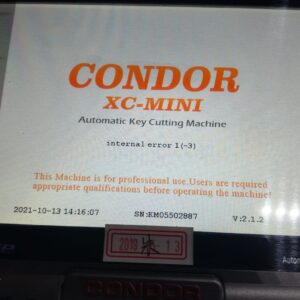
Xhorse Condor XC-Mini “internal error” solution

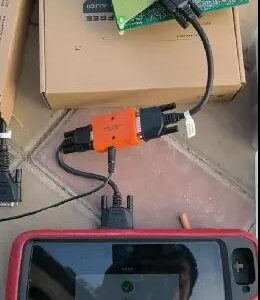
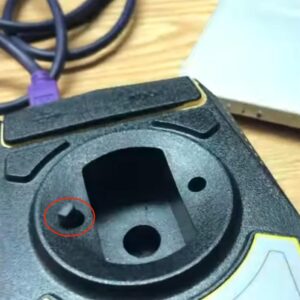
Xhorse Condor XC-Mini “Internal error”.. Anyone know what is going on? How to fix?   How to solve? Please clear all and then update software.     If it doesn’t work,  you could try to “Fix internal error 1” and “Fix internal error 2″…for MORE times.   Make sure the power doesn’t go on and off multiple times in a row while cutting.
Read More…