21011216105101937680

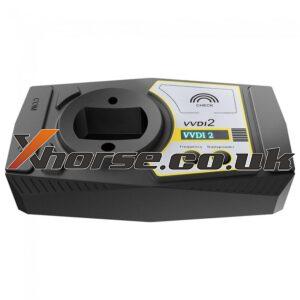
Xhorse VVDI2 Test Report with 100% Success

Confirmed! Xhorse VVDI2 can work with Audi, VW, BMW and so on perfectly. Here share some successful test reports about VVDI2 from our customers. I successfully added a key bcm2 on a 2013 audi a5. 2007 Audi A4 B7 RB8 crypto – mileage correction ok Audi BCM2 add spare key by obd worked fine, and I did one on a 2013 A5 and it worked flawlessly. A6/Q7 EZS Kessy: Added a dealer key (remoteRead More…
xhorse-vvdi-key-tool-plus-functions-reviews-03

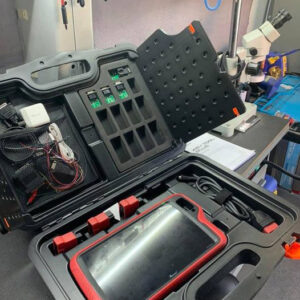
What Xhorse VVDI key tool plus can and can’t do + reviews

Xhorse VVDI Key Tool Plus is a professional locksmith tool that integrates the main functions of remote control and chip, immo matching, etc., and also reserves future expansion capabilities. It’s a device that can solve all the needs of daily work. In this post, we’ll learn the functions and reviews of the VVDI Key Tool Plus pad. First of all, let’s check the table of the functions of XhRead More…

vvdi-key-tool-max

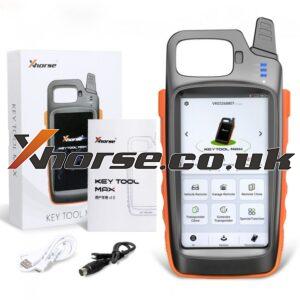
Xhorse VVDI Key Tool Max Reviews good and bad

This post is available with Xhorse VVDI Key Tool Max reviews. Review 1: Great tool for creating your own keys and programming them This tool has allowed me to start a side business providing keys and programming them for people looking to save some money. It’s worked pretty well for the most part, but it’s definitely no replacement for a professional key programmer like the Autels and Xtools. Read More…

xhorse-vvdi-key-tool-max-programs-nissan-remote-01

Used VVDI Key Tool Max Program remote on Nissan

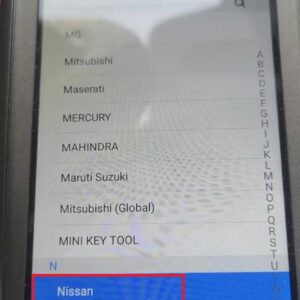
This article offers the guide of programming remote on Nissan with Xhorse VVDI Key Tool Max. Steps: 1. Click “Nissan”>>“Select from the system”>>“Remote key adaptation”. 2. Choose “Type 1”>>“Start execution”>>“Program a remote”. 3. Press “Unlock” button on the remote. 4. When the programming is successful, click “OK”.Read More…

xhorse-vvdi2-vs-vvdi-prog-vs-vvdi-mb-bga-tool-01

Xhorse VVDI2 Vs VVDI Prog Vs VVDI MB BGA Tool

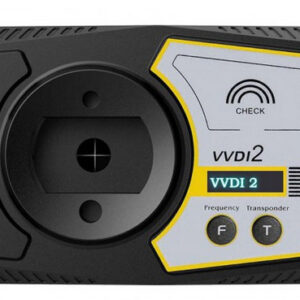
What’s the difference of Xhorse VVDI2, Xhorse VVDI Prog and Xhorse VVDI MB BGA Tool? Now, let me tell you the answer. VVDI 2, which can handle BMW, VW/Audi and Porsche etc., is a comprehensive tool for diagnosis and programming(mainly programming ECU and keys). VVDI Prog is a ECU programmer, which is mainly used for programming EEPROM, ECU, MCU, reading Immo data of BMW EWS/CAS/FEM/BDC andRead More…

vvdi mini key tool

Frequently Asked Questions About Xhorse VVDI MINI Key Tool

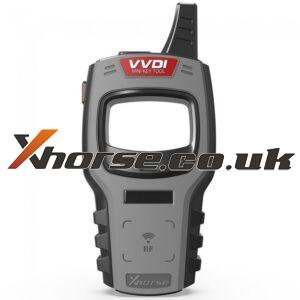
In this post, some frequently asked questions about Xhorse VVDI Mini Key Tool will be offered. Now, let’s check them together. Q: Can it copy the immobilizer info and clone a key? A: No, it can not copy immo info. But it can clone some new keys. You can download xhorse app to see the keys it supports to clone. Q: Can this renew a used key fob for a 2011 Toyota Prius? A: It can renew someRead More…

vvdi2-dolphin-xp-005-program-audi-tt-1999-all-key-lost-01

VVDI2&Dolphin XP-005 Program Audi TT 1999 All Key Lost

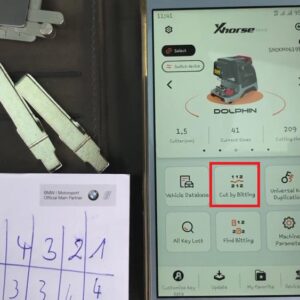
Today, let’s talk about how to program Audi TT 1999 all key lost with Xhorse VVDI2 and Dolphin XP-005. Preparation: 2-in-1 Pick tool VVDI2 Dolphin XP-005 Firstly, we need to cut the key. Here are the steps of cutting the key: 1. Open the door of the car with a 2-in-1 Pick tool. 2. Turn on the Xhorse app and choose the DOLPHIN main page. 3. Click “Cut by biting”>>enter the Read More…

vvdi-key-tool-plus-adds-8a-smart-card-for-toyota-2110-01

VVDI Key Tool Plus Adds 8A Smart Card for Toyota 2110

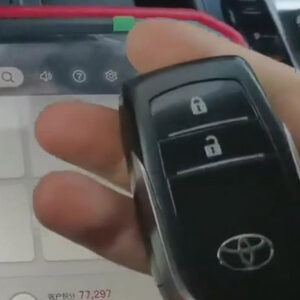
This post is available with how to use Xhorse VVDI Key Tool Plus to add an 8A smart card for Toyota 2110. Now, let’s read it together. This is the original key of Toyota 2110. First of all, we need to test its frequency. Here are the steps: 1. Go to “Remote Clone” and put the original key into the detection coil of VVDI Key Tool Plus, then press the key. Now, we can see that its frequRead More…

dolphin-xp-005-m2-clamp-calibration-error-solution-01

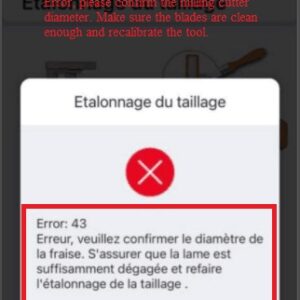
Dolphin XP-005 M2 Clamp Calibration Error Solution

Customer problem: when I use Dolphin XP-005, I find that I can’t finish the calibration of the size. It gives me a message “Error, please confirm the milling cutter diameter. Make sure the blades are clean enough and recalibrate the tool.” And I would like to know also when we do clamp calibration,do we have to put or not HON66 in the clamp M2. If we have to put no key we have to tighteRead More…