Xhorse Masker Garage Remote Data Recovery

Xhorse Masker Garage Remote Manual: How to Recover Data

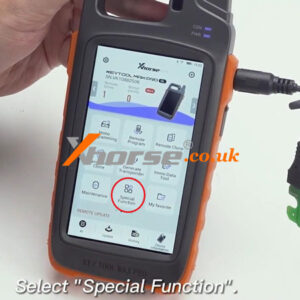
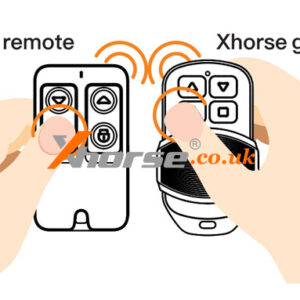
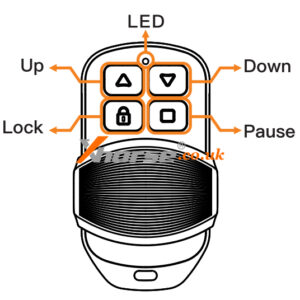
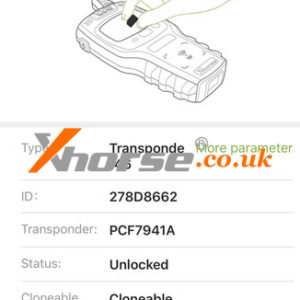
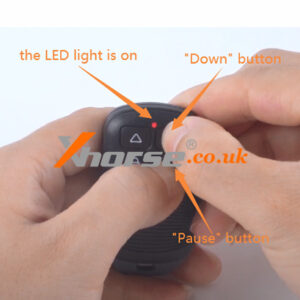
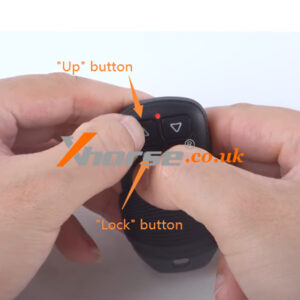
In this post, we will introduce the data recovery function of the Xhorse Garage Masker Remote. If you want to know more functions of Masker, please refer to: Regenerate Rolling Code ID Delete Codes, Remote Clone Set Frequency Now let’s go back to the Data Recovery feature! 1. Data recovery situation When the garage remote is deleted code by mistake operation (garage remote in deleted Read More…
Masker Regenerate Rolling Code Id Function 01

Xhorse Masker Garage Remote User Manual: Regenerate Rolling Code ID

In this post, we will introduce the rolling code ID regeneration function of the Xhorse Garage Masker Remote. Under what circumstances should this function be used? If the garage remote appears a code-chasing phenomenon with the original remote (the original remote presses the button once and it works, the cloning remote need to press twice then it works meanwhile the original remote does noRead More…

Mini Key Tool To Set Frequency Of Masker Garage Remote 4

How to use Mini Key Tool to set frequency of Masker Garage Remote

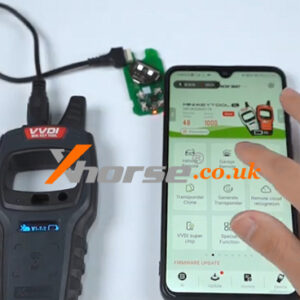
This post will guide you on how to use VVDI Mini Key Tool to set the frequency of Xhorse Masker Garage Remote. Step 1. Connect to the device. Remove the Xhorse logo and loosen the screw. Then open the shell and take out the PCB board inside. After pairing MINI Key Tool to the phone via Bluetooth, we connect the device to the masker with a programming cable. Step 2. GeneraRead More…

Xhorse Vvdi Key Tool Max Pro Change Garage Remote Frequency (4)

Xhorse VVDI Key Tool MAX Pro Change Garage Remote Frequency

This is a tutorial on how to disassemble the XKGHG1EN Masker Garage Remote to change frequency with Xhorse VVDI Key Tool MAX Pro. How to disassemble XKGHG1EN Garage Remote? 1.Remove the cover of remote key, tear off Xhorse logo, use a screwdriver to remove the back screw; 2.Remove the back cover and take out the PCB board of remote key. How to change XKGHG1EN Garage Remote freqRead More…

Xhorse Masker Garage Remote Delete Codes Remote Clone Guide (3)

Xhorse Masker Garage Remote Delete Codes, Remote Clone Guide

Xhorse XKGHG1EN Masker Garage Remote can support to set frequency, delete code, clone remote, recover data and generate remote. This article is talking about how to check delete codes status, so that we can continue to clone remote. How to check Delete Code Status? Before cloning remote, we should check the garage remote status, to make sure remote in deleted code status. 1. Deleted code statRead More…

Xhorse Masker Garage Remote User Manual Set Frequency 01

Xhorse Masker Garage Remote User Manual: Set frequency

Xhorse Masker garage remote has a special design and is easy for customers to use. It supports remote cloning (remote clone from original remote), set frequency, clear code, and data recovery functions. It also supports remote generation for a variety of garage remote brands, frequency edition by VVDI KEY TOOL series devices. This article will focus on explaining one of Masker Garage Remote’s fRead More…

Solved Xhorse Vvdi Key Tool Max Clone Id46 Not Support This Chip (1)

Solved: Xhorse VVDI Key Tool MAX Clone ID46 “NOT support this chip”

Question: I was using Xhorse VVDI Key Tool MAX Pro to clone a Transponder 46 PCF7941A remote, but it failed when writing data. It says: “Write failed: NOT support this chip.” What type of remote should I use? Please advise. Solution 1. XE Series Super Remote 2. VVDI Super Chip Change to clone either of above options is workable. Hope this is helpful. Technical support Read More…

2 Ways To Change Xhorse Vvdi Be Key Frequency (1)

2 Ways to Change Xhorse VVDI BE Key Frequency

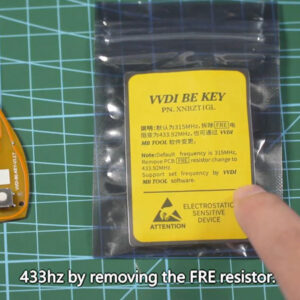
Here we’ll introduce 2 ways to change Xhorse VVDI BE Key Yellow PCB frequency. The default frequency written on the package is 315MHz, you can manually change it to 433MHz by removing the FRE resistor or performing on Xhorse VVDI Key Tool Plus. Method1: Modify by Xhorse Key Tool Plus 1. Put the BE Key chip into the Key Tool Plus Pad top groove. 2. Immo programming >> Europe &gRead More…

22072016583736639792

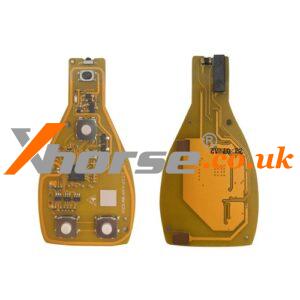
New Xhorse VVDI BE Key Yellow PCB

This VVDI BE key Yellow PCB support both 315mhz and 433mhz, no with 200 Points If you need the BE Key Green PCB with 200 Points, check this BE Key Pro Improved Version VVDI BE key Pro improvements: 1. Fix the bug that W164/W639 EIS data doesn’t synchronize the key. 2. Fix the bug/fault that the BE key stop work after repeatedly turn ON the ignition without removing key out from EIRead More…

Solution Xhorse Wired Remote Burn Failed On Vvdi Key Tool Max (1)

Solution: Xhorse Wired Remote Burn Failed on VVDI Key Tool Max

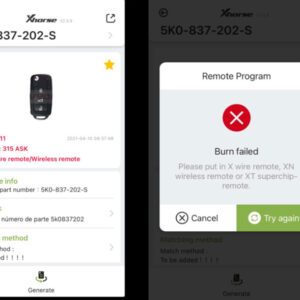
Problem1: I have tried 5 XKB506EN Wired Remotes to generate a 5K0-837-202-S chip. The instruction says wired remote is okay, but it always failed and prompted: “Burn failed. Please put in X wire remote, XN wireless remote, or XT superchip-remote.” What’s the problem? Isn’t the XK series remote workable? Problem2: I have met the same problem when generating Sorento OSLOKA-910T 433 chRead More…