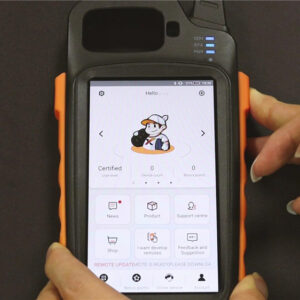
Steps of Password Setting on Xhorse Key Tool Max (1)

Steps of Password Setting on Xhorse VVDI Key Tool Max

We have received lots of questions about how to set up a password on Xhorse VVDI Key Tool Max from customers. This post explains the steps in detail. 1. Press the home button for several seconds until we back to the homepage. 2. Press Settings >> Security >> Screen Lock 3. Press PIN as security model >> Double enter pin codes >> Done! BRead More…
xhorse-dolphin-xp005&vvdi-key-tool-max-cut-keys-for-vw-beetle (7)

Xhorse Dolphin XP005 & VVDI Key Tool Max Cut Keys For VW Beetle

Hello everyone, I’m gonna do a quick demonstration on how to use Xhorse Dolphin XP005 key cutting machine and VVDI Key Tool Max. To cut key for Volkswagen Beetle door lock when all keys lost. The whole process is very easy and quick to finish. This is a Volkswagen lock, before that, I should get its key lock code: This is the key to be cut, I will cut half of the key just for speed sRead More…

xhorse-key-tool-max-mini-obd-add-smart-key-for-hyundai-id46 (1)

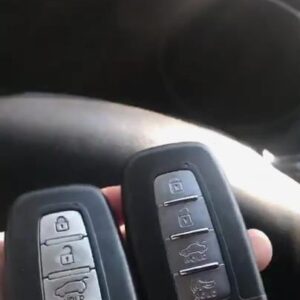
Xhorse Key Tool Max + Mini OBD add smart key for Hyundai ID46

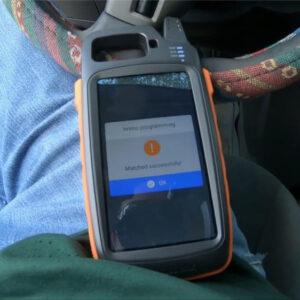
This post shows how to program smart keys with Xhorse Key Tool Max + VVDI Mini OBD Tool for Hyundai Tuscon ID46. Here are smart keys to be programmed, let’s move forward to the detailed steps: Plug VVDI Mini OBD Tool into the OBD2 port of Hyundai Tuscon, turn on the Bluetooth of Key Tool Max. Then in the Key Tool Max machine, press Immo Programming >> Hyundai >> Select By Type &Read More…

how-to-generate-xhorse-super-remote-via-vvdi2-software (4)

How to Generate Xhorse Super Remote via VVDI2 Software?

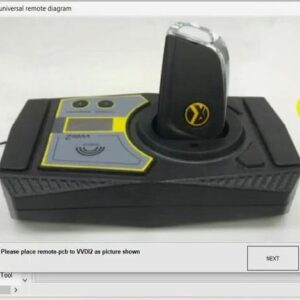
These are detailed steps of how to generate super remote using Xhorse VVDI2 key programmer software. The explanation is based on VVDI2 V6.7.5 GL English version. Car key info: Area: Asia Factory: Honda Type: 2013 Later spirior Jade Accord 47A 433 2 Frequency: FSK 433.92 Immo transponder: ID47 Available remotes: Wireless universal remote \ Super remote Blade 0: XK25 Blade1: 25 Blade2: HRead More…

360截图18790310489452

New Xhorse VVDI BMW BIMTool Pro Updated Version of VVDI BMW

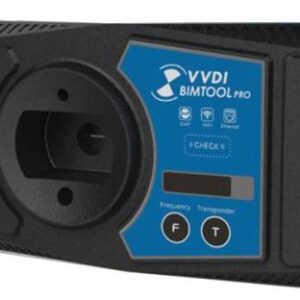
Xhorse VVDI BIMTool Pro Support BMW E-sys and Rheingold Diagnostic System. Able to replace the specialized devices. (connect via network cable),Support directly read ISN data without disassembling the ECU (N13/N20/N55/N63)   VVDI BIMTool Pro New Features: 1. Add ethernet port, Support 10/100M programming via Ethernet 2. Support WIFI 802.1b/g, 150Mbps high-speed connection, and WIFI Read More…

xhorse-key-tool-max-clon-a-super-chip&program-remote-for-nissan (16)

Xhorse Key Tool Max Nissan ID46 Super Chip clone & Remote programming

Hello, everyone, since I got my Xhorse Key Tool Max last week, so today I wanna try it to clone a super chip & program remote for a 2012 Nissan Sentra Now I am in my customer’s car, let’s start: First of all, the mini OBD tool should be connected to the car. Hit Home button on right side, put the key to be cloning on slot >> Read Transponder >>Clone Start Read More…

mini-key-tool-super-chip-generate-transponder-test-report-1

VVDI Mini Key Tool Plus Super Chip XT27A66 Generate Transponder Test Report

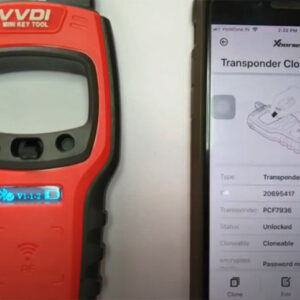
It’s confirmed that Xhorse Mini Key Tool plus Super Chip XT27A66 can generate ID-46 Swift India (2012-16) and ID-63 80bit Ford without any issue. 1. Generate ID-46 Swift India (2012-16) -success! Connect Mini Key Tool with Android smartphone Put the super chip XT27A66 into the coil of the mini key tool Run Xhorse APP Enter MINI KEYTOOL main menu Select [Transponder Clone] to read the traRead More…

dolphin-xp005-device-cannot-find-solution-1

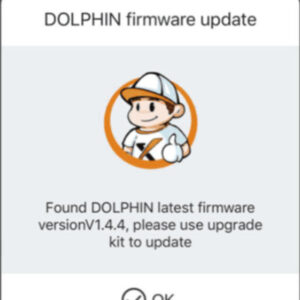
How to Solve Dolphin XP005 Device Cannot Find on Upgrade Kit Software

Xhorse Dolphin XP005 key cutting machine “Device not found” problem & solution is provided here. Problem: I tried the Xhorse APP but it tells me to use the upgrade kit to update the Dolphin XP005. Then I downloaded the upgrade kit but it can’t find the device. I installed the drivers as well. But still keep getting this error. I get the same message when I try to update the key tool Read More…

vvdi-mb-tool-match-xhorse-elv-emulator-1

Repair Benz ELV by Xhorse ELV Emulator with VVDI MB Tool

When there is something wrong with Benz ELV. No matter is motor or NEC chip problem. The remote is working ok but when insert the key, the dashboard doesn’t work. It needs to replace a new original ELV but expensive. One easier way to fix the problem- use Xhorse ELV Emulator and match with VVDI MB Tool. Just follow the following step-by-step guide to operate easily. Step 1: Connect ELV emulRead More…