vvdi-mini-key-tool-activate-96bit-48-clone-tokens-faqs (1)

VVDI Mini KeyTool activate 96bit 48 clone & tokens FAQs

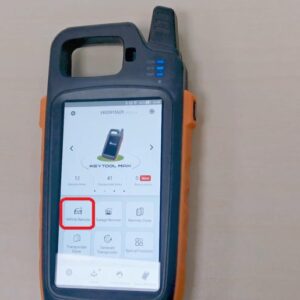
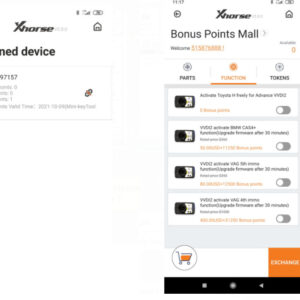
Xhorse received lots of questions about how to activate 96bit 48 clone & get tokens from customer who had bought VVDI MINI Key Tool. Here is the question collection most frequently asked and answered. Question 1 I had bounded VVDI MINI Key Tool in app, but can’t find 96bit 48 clone function in the Bonus Points Mall? Answer: Log in the Xhorse app and link the device to account, then Read More…
solved-vvdi-prog-download-error-unable-to-start-correctly-1

Solved! VVDI Prog Download Error:“unable to start correctly”

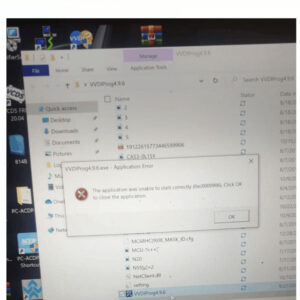
One of our customers ran into a problem after downloading Xhorse VVDI PROG software the latest version 4.9.6. “The application was unable to start correctly (0xc0000906). Click OK to close the application.” And he cannot execute VVDI PROG normally. Xhorse engineer replied to close antivirus software and redownload it again. The problem was solved! Tip: To make sure the application startRead More…

how-to-find-xhorse-vvdi2-authorization-option-for-bmw-2

How to find Xhorse VVDI2 authorization option for BMW?

Recently we have received feedback from customers that they can’t find authorization options in Xhorse VVDI2 for BMW. One customer said he had bought VVDI2 full version, but can’t find VV-03, VV-04, VV-05, VB-03, VT-01 authorization options. He attached with a picture of his device. The other customer said he can’t find VPSA-01 PSA authorization option in VVDI2, and ask for help. Read More…

how-to-use-vvdi-bimtool-pro-to-connect-bmw-via-ethernet-1

How to use VVDI BIMTOOL Pro to connect BMW via Ethernet?

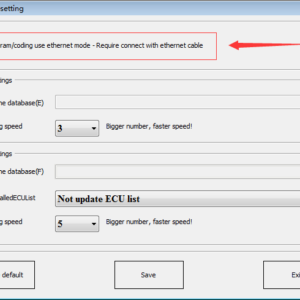
Xhorse has released VVDIBIMTOOL Pro recently, as an upgraded version of VVDI BMW tool, added programming & coding via doip IP function. It means VVDI BIMTOOL Pro supports to program single module fast now! But lots of customers met the problem to connect with the vehicle, so today we will make a quick explanation. Steps 1. Open VVDI BMW TOOL software, select “Options”>> ParameterRead More…

fixed-vvdi-mb-tool-power-adapter-failure-to-collect-w204-data (1)

Fixed! VVDI MB Tool Power Adapter failure to collect W204 data

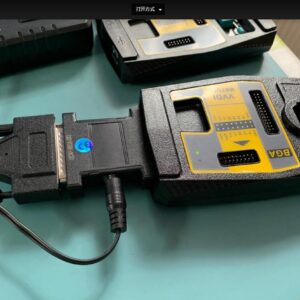
One of our customers gave feedback on the issue of “Failure to collect Mercedes W204 data when using VVDI MBTool Power Adapter” recently. He required to read the EIS data as well. Four photos were given as below: The VVDI MBTool Power Adapter is inserted to connect with VVDI MB Tool It prompts: “Can’t start communication with EIS, check connection!” in VVDI MB Tool software. Read More…

xhorse-iscancar-mm007-cleared-dtcs-after-kessy-module-replaced (18)

Xhorse Iscancar MM007 Cleared DTCs after Kessy Module Replaced

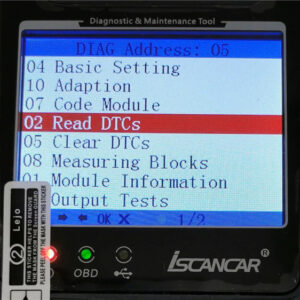
How to fix DTCs errors after swapping VW PQ Kessy module 5K0959434 via Xhorse Iscancar VAGMM007 diagnostic tool? This post is going to show the steps as below: This is a second hand Kessy module 5K0959434 contains VIN & Key ID in memory. After swapping used module to other car, you will see errors such as “65826 – No Basic Setting B2010 00 [009]” or “10487040 – Data Record InRead More…

solved-vvdi-mb-tool-netclient.dll-was-not-found-error

Solved! VVDI MB Tool “NetClient.dll was Not Found” error

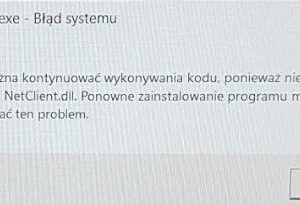
One of our customers got a problem of system error when operating Xhorse VVDI MB tool, it mentioned: “Code execution cannot continue because NetClient.dll was not found. Reinstalling the program may fix this problem.” He tried to change computer, closed all anti-virus software, redownloaded VVDI MB tool, this error still existed. There are 2 solutions for this problem: 1. Open Windows deRead More…

clone-vvdi-smart-key-without-reprogramming- (1)

Clone VVDI Smart Key without Reprogramming on Key Tool Max

This post shows the detailed steps of how cloning a new VVDI smart key and no reprogram required with Xhorse Key Tool Max. Please notice “VVDI smart key clone” option is only for smart remote that have been matched with vehicle by VVDI key tool max and mini obd. The function is particularly suitable for people who wants to make a new remote and had a former one , but don’t want to match the Read More…

solved-vvdi-mb-bga-can’t-read-eis-for-mercedes-w220 (2)

Solved!VVDI MB BGA Can’t Read EIS for MercedesW220

One of our customers gave feedback that the Xhorse VVDI MB BGA Tool can’t read EIS for his Mercedes-Benz W220 last week. The VVDI MB software appeared error attention on screen: “Can’t read EIS! Check OBD line to car or IR adaptor to EIS Retry? Cancel with discard the acquisition data.” Solution: Select the OBD option, insert the IR adapter to MB device, solved! Thanks tRead More…

micro-adjust-bitting-distance-and-cutting-depth-on-xhorse-dolphin-xp005 (8)

Micro-adjust biting distance & cutting depth on Xhorse Dolphin XP 005

This post explains how to Micro-adjust biting distance and cutting depth for the Xhorse Dolphin XP005 key cutting machine via Xhorse App. Sometimes the key biting doesn’t reach our demand, so in Dolphin XP005 we get such an option to adjust it. Before performing Cutting Key in Xhorse App, we should prepare the following steps: 1. Click “Parameter Micro-adjust”, select the specific bitiRead More…