Xhorse Xdske0en Smart Key Box App Settings Guide (1)

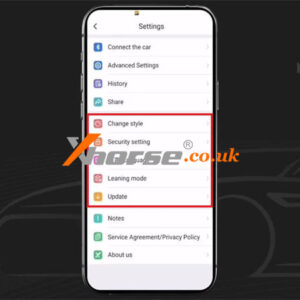
Xhorse XDSKE0EN Smart Key Box APP Settings Guide

This is guide to setup Xhorse XDSKE0EN Smart Key Box APP on smart phone for first time use. Learning how to change style, set security & language, perform learning mode & updates. Change Style Xhorse offers 3 remote styles, users can select the style according to preference. 1.Cool: users can customize the button number & the background image. 2.Classic: users can select the Read More…
How To Assemble Be Key Pro Pcb And Benz Key Shell 6

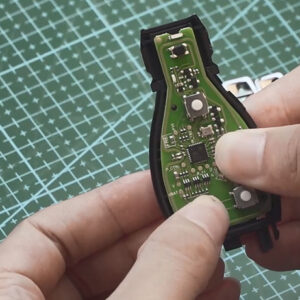
How to assemble Xhorse VVDI BE Key Pro PCB and Benz Smart Key Shell

This post will show you how to assemble Xhorse VVDI BE Key Pro PCB and Benz Smart Key Shell. Step 1. Remove the Benz smart key shell. Use a screwdriver to slide the top button of the key fob as shown so that the small key pops out, then remove it. Use a screwdriver to open the shells on both sides and the top of the keychain. Then break the rest by hand. Above we have cRead More…

Change Xhorse Remote Tester Work On 868mhz Frequency (1)

Xhorse Remote Tester Work on 868Mhz Frequency, Possible?

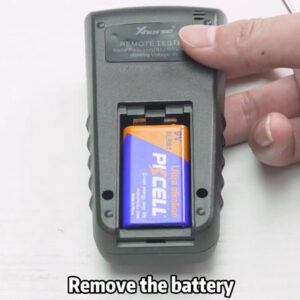
In general, Xhorse Remote Tester only has 2 frequency test range: 300Mhz-320Mhz & 434Mhz. Is it possible to change the Xhorse tester to work on 868Mhz? It actually can. Follow the tip below to learn how to do. How to change Xhorse tester to work on 868Mhz? 1. Remove battery from remote tester. 2. Unscrew the 4 screws on backside of tester. 3. Open back cover, find the jumper Read More…

Xhorse Toy8a Akl Adapter 1

Xhorse toy8a akl adapter: A must-have for Toyota AKL

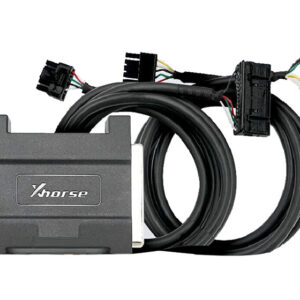
This article will introduce you to the latest product released by Xhorse: TOY8A AKL Adapter, a must for Toyota AKL. Why do you need an Xhorse Toy8a AKL adapter? The new XM38 Toyota smart key needs data collection and calculation when adding a key, which can be achieved by using VVDI Key Tool Plus, but this function needs to collect data from the ECU on the vehicle, the original OBD 8A AdapteRead More…

Xhorse Mini Prog Vvdi Key Tool Plus Adapters Full List (1)

Xhorse Mini Prog & VVDI Key Tool Plus Adapters Full List

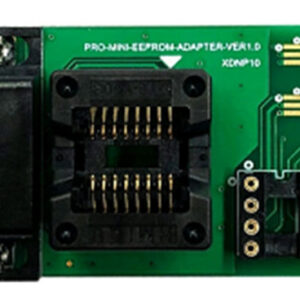
This is a Xhorse MINI Prog & VVDI Key Tool Plus adapters full list, including quick function explanation & connection diagram. Pay attention most are workable for both tools, and some are only for MINI Prog. More details, please refer to list below. XDNP10 Prog EEPROM Adapter Application:VVDI Key Tool Plus & MINI Prog standard equipped. Function: Read various models of EEPRead More…

Xhorse Vvdi Prog Solder Free Adapter Read Bmw Cas3 0l15y Easy (2)

VVDI PROG + Solder-Free Adapter Read BMW CAS3+ 0L15Y Easy

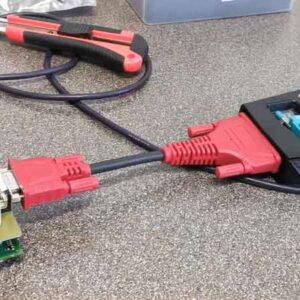
Xhorse VVDI PROG is now able to read BMW CAS3+ 0L15Y EEPROM & FLASH data with XDNP11GL Solder-Free Adapter. Only need to connect by DB25-DB15 Cable. No soldering or welding, faster and safer. The connection diagram can be found in VVDI PROG software. Just follow the marked tips to install. Following is a quick demonstration. Open VVDI Prog to select options Type: 4-IMMOBILIZER Read More…

Xhorse Bcm2 Solder Free Adapter Can Read Locked Audi Bcm (4)

Can Xhorse BCM2 Solder Free Adapter Read Locked Audi BCM?

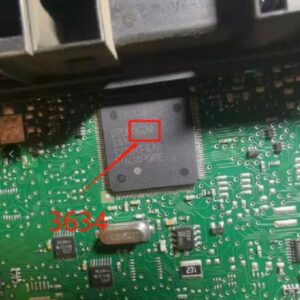
The answer is yes. Xhorse VVDI Audi BCM2 Solder Free Adapter can read VW Audi locked BCM2 data as long as having the corresponding model. It supports 2013-2019 Audi A4L, A5, Q5, A6L, A7, A8. Here we’re taking about how to use VVDI PROG + Audi Solder-Free Adapter to judge whether BCM module is locked. Locksmiths should have ever met locked or unlocked VW AUDI BCM modules at work. Basically, caRead More…

Xhorse App Exchange Points To Token

Xhorse Spring Festival Promotion: Buy 2000 Points Get 1000 Free!

Xhorse Spring Festival Promotion is coming!!! Buy 2000 points get 1000 free, total exchange 15 MB Tokens, only £115. Buy 1000 points get 400 free, total exchange 7 MB Tokens, only £58. This activity is limited to the exchange of points while stock lasts. The following conditions must be met meanwhile: 1. Users should have VVDI MB or VVDI Key Tool Plus device; 2. Users should have regisRead More…

Bmw Frm E Series Data Repair Via Xhorse Vvdi Key Tool Plus (1)

BMW FRM E Series Data Repair via Xhorse VVDI Key Tool Plus

Xhorse VVDI Key Tool Plus Tablet can repair BMW FRM E series MC9S12XEQ384 data successfully. Below is a quick review from my today’s demo on bench. Remove BMW FRM module, connect with VVDI Key Tool Plus by soldering. Wiring diagram can be found in the path: Prog >> Other >> BMW >> FRM-E-SERIES(MS9S12XEQ384) DATA REPAIR >> Wired If you have the BMW Solder-fRead More…