vvdi-key-tool-plus-function-overview-01

VVDI Key Tool Plus Functions Overview

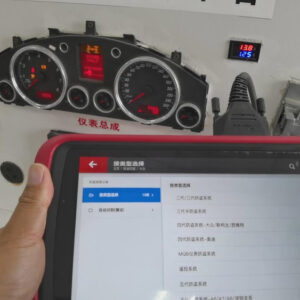
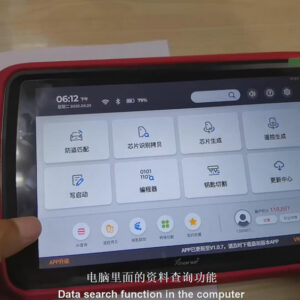
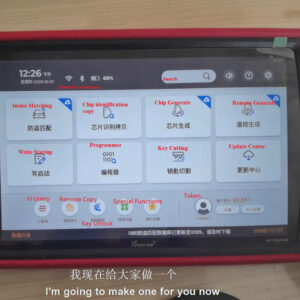
Here are the buttons of VVDI Key Tool Plus. Now, I’ll introduce the functions of these buttons one by one. 1. Immo Matching OBD matching, VVDI2, BMW tools, Benz tools & Benz special tools are all under this directory. If you want to do OBD matching for a BYD vehicle, click “Immo matching”>>“BYD”, then you can operate it according to its vehicle type and vehicle year. Read More…
vvdi-key-tool-plus-changes-keyless-go-fbs3-frequency-01

VVDI Key Tool Plus Changes Keyless Go FBS3 Frequency

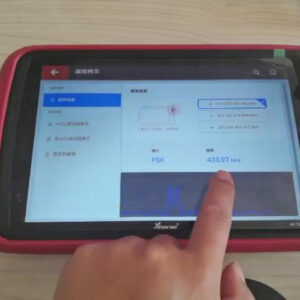
For anyone who wants to know how to change Keyless Go FBS3 frequency via VVDI Key Tool Plus, you will find the answer in the post listed below. 1. Put the key into the detection coil of VVDI Key Tool Plus and we can detect the key’s frequency is 433.97MHz. 2. Remove the key from the detection coil of Key Tool Plus. Press the “Lock ” button of the key, then press the “Trunk” button Read More…

connection-ways-of-xhorse-vvdi-mini-prog-and-xhorse-app-01

How to connect Xhorse MINI Prog with Xhorse App

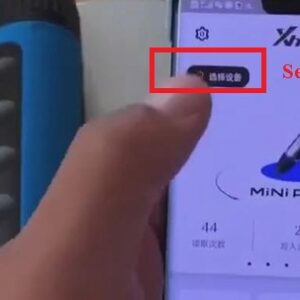
There are different ways of connecting Xhorse VVDI MINI Prog and Xhorse App. In this post, I’ll show you how to connect MINI Prog with Xhorse App via Bluetooth and Hotspot. There are different ways of connecting Xhorse VVDI MINI Prog and Xhorse App. In this post, I’ll show you how to connect MINI Prog with Xhorse App via Bluetooth and Hotspot. Ⅰ.Bluetooth connection: Steps: 1. Power Read More…

xhorse-vvdi-key-tool-plus-programs-seat-key-01

Xhorse VVDI Key Tool Plus Programs Seat Key

How to program Seat key with Xhorse VVDI Key Tool Plus Pad? In this article, I’ll show you the detailed steps. 1. Insert the key into the ignition and turn the ignition on. 2. Click “Generation 4 Immo system-Volkswagen/Skoda/Seat”>>“Start”>>“Gain Firmware Protection Data”>>“Read PIN/CS(OBD)”>>“Confirm”. 3. Turn off the ignition and turRead More…

how-to-use-xhorse-vvdi-key-tool-plus-ai-query-remote-generate-01

How to Use Xhorse VVDI Key Tool Plus AI Query & Remote Generate?

Xhorse VVDI Key Tool Plus is able to automatically scan the VIN number of the vehicle and perform remote generate functions perfectly. For gaining the info. of the vehicle, you need to: 1. Click “AI Query”, then we can choose to scan the VIN number automatically, or enter the VIN number manually or gain the VIN number from the photo sent by others. 2. Now, let’s scan a VIN number.Read More…

vvdi-key-tool-max-mini-obd-tool-add-a-key-for-2017-mazda (1)

VVDI Key Tool Max + MINI OBD Tool Add a Key for 2017 Mazda

How to use Xhorse VVDI Key Tool Max + VVDI Mini OBD Tool to add a smart key for 2017 Mazda? Now I will show you the procedure. Plug VVDI Mini OBD Tool to OBD2 port of the car, connect it with VVDI Key Tool Max via Bluetooth. Now all are ready, let’s go to the VVDI Key Tool Max device: Immo programming >> Mazda >> Axela >> Smart key system >> Key added Read More…

vvdi-key-tool-plus-pad-add-a-bmw-cas4-key-via-eeprom (2)

VVDI Key Tool Plus Pad Add a BMW CAS4+ Key via EEPROM

How to use Xhorse VVDI Key Tool Plus Pad to add a smart key for BMW CAS4+ by reading & writing EEPROM data? Today I will show the procedure step by step. First of all, we should read data from CAS4+ computer. Wire connection is an option to acquire data, but I’d like to use a non-disassembly and non-welding adapter plate to read instead. Now here we go to the VVDI Key Tool Plus Pad:
Read More…

vvdi-mini-prog-chip-programmer-main-functions-overview (1)

VVDI MINI Prog Chip Programmer Main Functions Overview

Xhorse has got the first one VVDI MINI Prog Chip Programmer last week to have an overview of the main functions. Now let’s go ahead to see what it actually supports. Firstly, download the Xhorse app, go access to the VVDI MINI Prog page, press  “Select” button to connect with the device, and choose the language. Main functions 1. EEPROM and FLASH VVDI MINI Prog can read EEPROM aRead More…

tip-provide-address-to-activate-vvdi2-toyota-h-function-1

Tips: Provide Address to Activate VVDI2 Toyota H Function

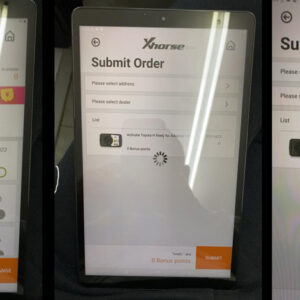
Purchase Xhorse VVDI2 full version can open the Toyota H chip authorization(VT-01). One customer who bought one had met a problem when activating the Toyota H function. He went to the Xhorse app Bonus Points Mall to exchange the function, but it noted with “Please select address” and can not continue. Xhorse engineer replies: Although Toyota H function is a virtual product, please providRead More…

dolphin-xp005-vvdi-key-tool-max-cut-a-key-for-suzuki-wagonr (1)

Dolphin XP005 + VVDI Key Tool Max Cut a Key for Suzuki WagonR

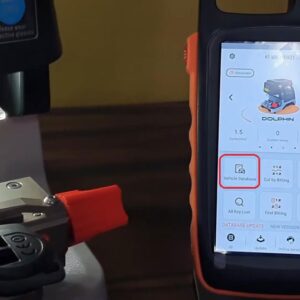
How to cut a key for the 2019 Suzuki WagonR? Today I will use Xhorse Dolphin XP005 + VVDI Key Tool Max to do key decoding and cutting. Prepare an original Suzuki key and a new key, connect Dolphin XP005 with VVDI Key Tool Max via Bluetooth, then go to start. Install the original key flat on the clamp, go to VVDI Key Tool Max programmer: Vehicle Database >> Suzuki >> Swift >Read More…