Xhorse Xsbtk0en Bluetooth Smart Key Faqs Troubleshooting (6)

Xhorse XSBTK0EN Bluetooth Smart Key – FAQs & Troubleshooting

Get the most out of your XHORSE XSBTK0EN Bluetooth Smart Key. Fix unresponsive auto-lock, set custom commands, bind multiple phones, and more. Dive into our FAQs to master your smart key’s full potential! Q: Are the Auto Lock/Unlock Features Not Responsive? A: As shown in the picture, if the auto lock/unlock feature is not responsive, you can enable the [Auto Lock/Unlock] feature to calibrate Read More…

Xhorse Xsbtk0en Smart Key Step By Step Setup Programming Guide (1)

Xhorse XSBTK0EN Smart Key: Step-by-Step Setup & Programming Guide

Upgrade your car with the Xhorse Bluetooth Digital Smart Key XSBTK0EN – a cutting-edge device that turns your smartphone into a digital car key. Enjoy keyless entry, remote start, and vehicle diagnostics, all without needing a network connection. Installation is simple via the OBD port, and control is seamless through the Smart Key Box app (iOS & Android). Step 1: Key Programming Note: ForRead More…

3 Reasons You Should Have Xhorse Xm38 Univesal Smart Key (1)

Why You Should Have Xhorse XM38 Universal Smart Key?

Xhorse XM38 TOY.T Universal Smart Key is a game-changer, offering compatibility, stability, and a sleek design. Let’s dive into why this smart key is a great addition to your business. Reason 1: Compatibility – A Key for Every Job One of the standout features of the XM38 Universal Smart Key is its unparalleled compatibility. Whether you’re working on a Toyota vehicle or dealing with a raRead More…

How To Distinguish Vvdi Remote Types 01

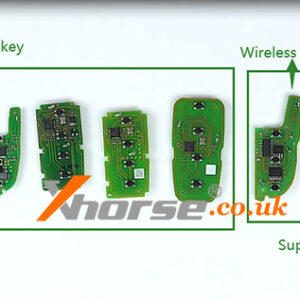
Wired remote, Wireless remote, Super remote, Smart key, what’s the difference?

This post will introduce VVDI remote series, and there are mainly 4 types of them: wired remote, wireless remote, super remote, and smart key. What is the difference between them? Read on to find out the answer. 1. Wired remote – Corresponds to the VVDI XK series There are more than 60 exquisite appearances to choose from. When generating, we need to connect it to the device with a Read More…