XHORSE All Key Lost Cable For Ford

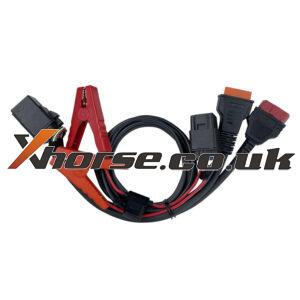
Xhorse All Key Lost Cable for Ford Smart Key Programming

Xhorse released new optional Ford All Key Lost Cable. it support all key lost while alarm on and no need to power off over and over again work with Key Tool Plus Smart Key All Key Lost Programming Ford taurus 2016 Ford Mustang 2016- Ford mondeo 201 6 Ford Expedition 2020 Ford Ecosport 2018- Ford everest 2016 Ford edge 2016 Ford Explorer 2016 Ford escape 2020 Ford Raptor F150 2018Read More…

vvdi-audi-bcm-adapter-using-tips-02

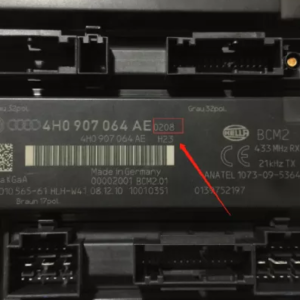
Xhorse VVDI Audi BCM2 adapter Using Tips

Xhorse VVDI Audi BCM adapter have been shipping one after another. Here are 4 using tips for everyone so that you will avoid problems during operation.   1st tip: For the BCM module that cannot be read out immo data via OBD, after removing it, be sure to confirm whether its version number is 0510 0521 0560 0572 0582 0633 0641 0650 0711. If it is not in this supported versRead More…

Bcm-adapter-audi-a4l-q5-2014--key-programming-16

Audi A4L /Q5 2014- key add and AKL programming with VVDI Key Tool Plus + BCM2 adapter

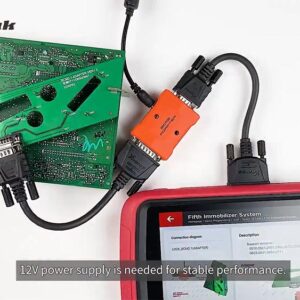
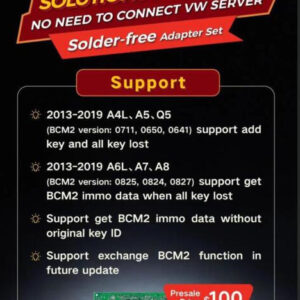
Is there any solution to read the blocked Audi BCM2? Yes, Xhorse BCM2 adapter is recommended, it can work with VVDI Key Tool Plus/ VVDI2+VVDI Prog to program Audi key (Add Key and All Key lost), no need to connect with VW Server. This article is about Audi A4L /Q5 2014- key add and AKL programming with VVDI Key Tool Plus + Audi BCM adapter. Prepare: VVDI Audi BCM2 Solder Free Adapter
Read More…

vvdi-key-tool-plus-cas3-cas3--plus-akl-via-obd-02

Can Xhorse VVDI Key Tool Plus do cas3/cas3+ AKL via OBD?

Can VVDI Key Tool Plus do cas3/cas3+ AKL through OBD? Yes or no? Autel IM508 is around same Price, which device would you say is the best?   Here are some test reports: Cas3 no problem … 3istaplus safe to do on bench.   2. I wouldn’t do cas3/cas3+ AKL through OBD with any device Call me old fashioned, but for me this is a bench job. Maybe I would do a Mini CoopRead More…

xhorse-vvdi-key-tool-plus-tokens-08

How to View Xhorse Key Tool Plus Mercedes Benz / VW Tokens?

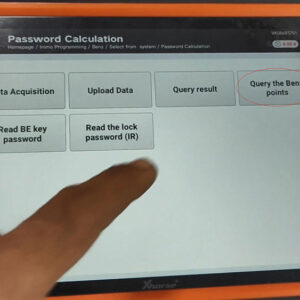
How to view the tokens for Mercedes Benz and VW MQB with Xhorse VVDI Key Tool Plus in step by step.   Part 1. How to View MQB Online Tokens with VVDI Key Tool Plus Immo programming -> VW -> Get immo data online -> Start programming -> Balance inquiry   Part 2. How to View M Mercedes Benz Tokens with VVDI Key Tool Plus Immo programming -> Benz –Read More…

2021

Xhorse VVDI Audi BCM2 Solder Free Adapter

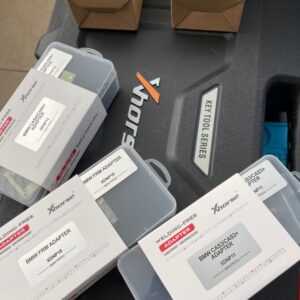
Xhorse released a new optional Audi BCM2 solder-free adapter, work with vvdi key tool plus, VVDI2+VVDI Prog.  For AUDI all key lost and add keys,  no need to connect VW server. Notice: Pre-order. 100USD, Price will be increased after 22nd !!! SCR: https://www.xhorsetool.co.uk/wholesale/xhorse-vvdi-audi-bcm2-solder-free-adapter.html 1.Support List: 2013-2019 A4L, A5, Q5 BCM2 vRead More…

solved-xhorse-vvdi-key-tool-plus-screen-stuck-01

How to do if Xhorse VVDI Key Tool Plus Pad Screen Stuck?

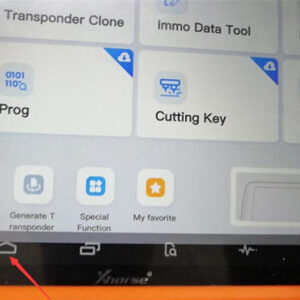
Sometimes, Xhorse VVDI Key Tool Plus Pad screen will be stuck due to operation mistake. How to solve the problem? Follow the solution below can let VVDI Key Tool Plus return to normal use. Steps 1. Go to restore factory setting. Home button >> System >> Reset Options Steps 2.Update software via mobile’s hotspot. Go to “Settings”to change WIFI to connect withRead More…

honda-crv-2018-adds-a-id47-key-via-vvdi-key-tool-plus-success-(1)

Honda CRV 2018 Adds a ID47 Key via VVDI Key Tool Plus Success

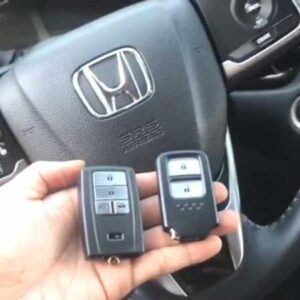
How to use Xhorse VVDI Key Tool Plus Pad to program a new smart key ID47 for Honda CRV 2018 by OBD? Following I’m gonna make a quick demonstration. The original working key is 433 MHZ frequency. Prepare a new Xhorse Smart Key to be programmed. Having connected VVDI Key Tool Plus into OBD, press Immo programming >> Honda >> Select by type >> Smart key system 2 >>Read More…

xhorse-vvdi-key-tool-plus-adds-a-key-for-2016-mazda-cx5-success (2)

Xhorse VVDI Key Tool Plus Adds a Key for 2016 Mazda CX5 Success

Xhorse VVDI Key Tool Plus Pad supports adding a key for 2016 Mazda CX5 success. Following is the quick demo for reference. Prepare 1 original working key & 1 new Smart Remote Key. Note: if the original car key is a 3-button, you need to program it with 3-button smart key. if the original car key is a 2-button key, you need to program it with 2-button smart keys. Connect VVDI Key Tool Read More…