Xhorse Condor XC-MINI Plus 2 is making strange noises and abnormal movements? Learn how to diagnose and fix XYZ axis motor issues. Test sensors, replace faulty Y/Z-axis parts, and know when to call support. Quick solutions for smooth operation.
Condor II Fault Phenomenon:
Abnormal noise during XYZ axis self-check or movement after power-on.
Noise occurs during key decoding/cutting when a specific axis moves.
Solution Steps:
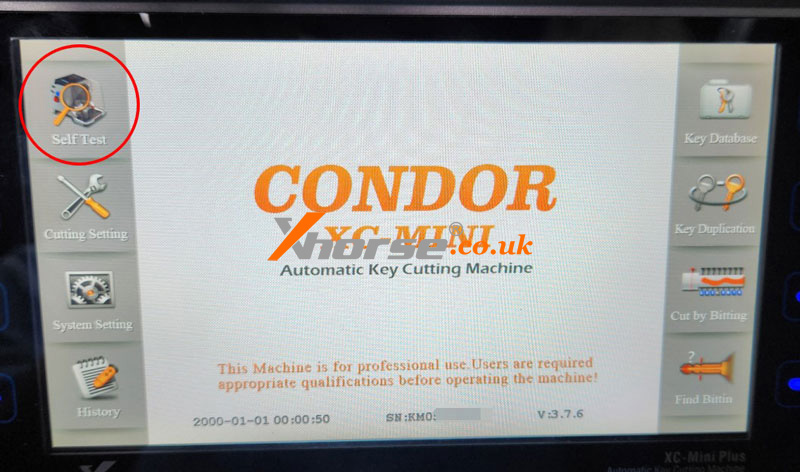
Perform Device Self-Test:
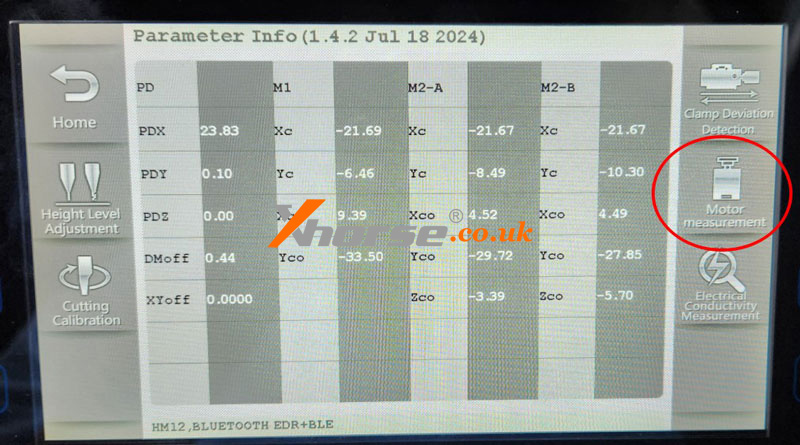
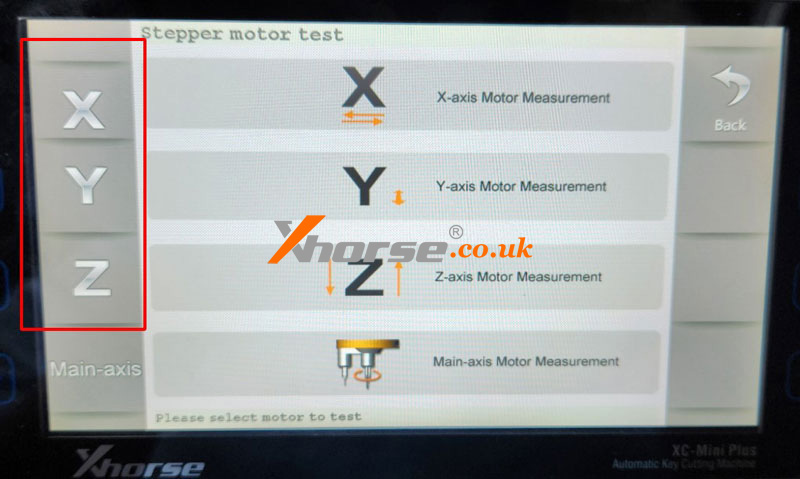
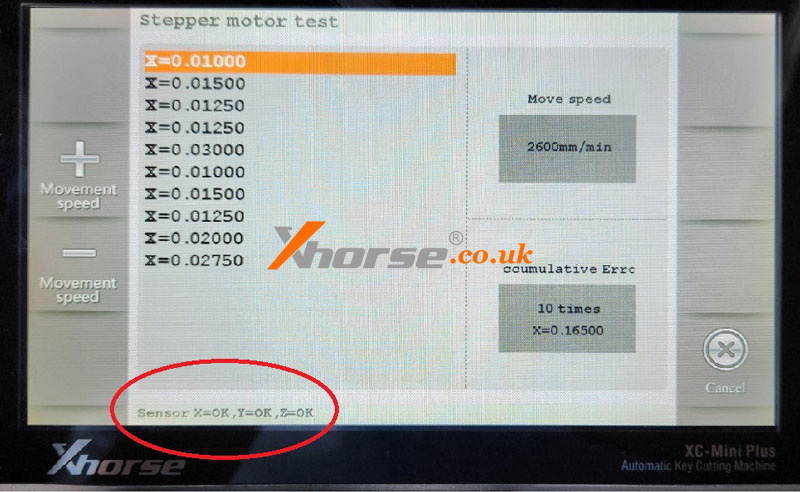
Navigate to: Motor Measurement → Test XYZ axes separately.
Normal Result: “OK” displayed (no action needed).
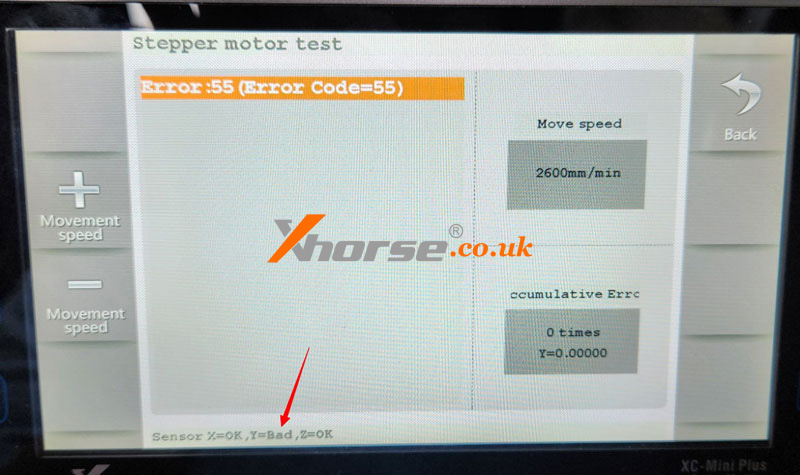
Fault Detected: “Bad” appears for the faulty axis (e.g., Y-axis in the example).
Sensor Replacement:
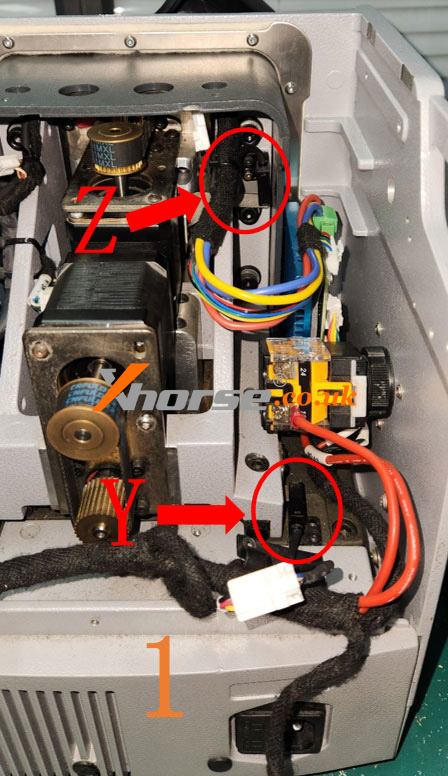
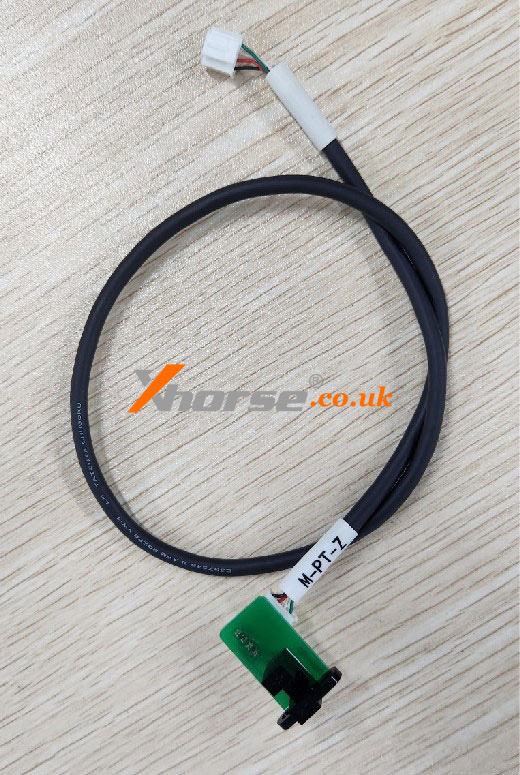
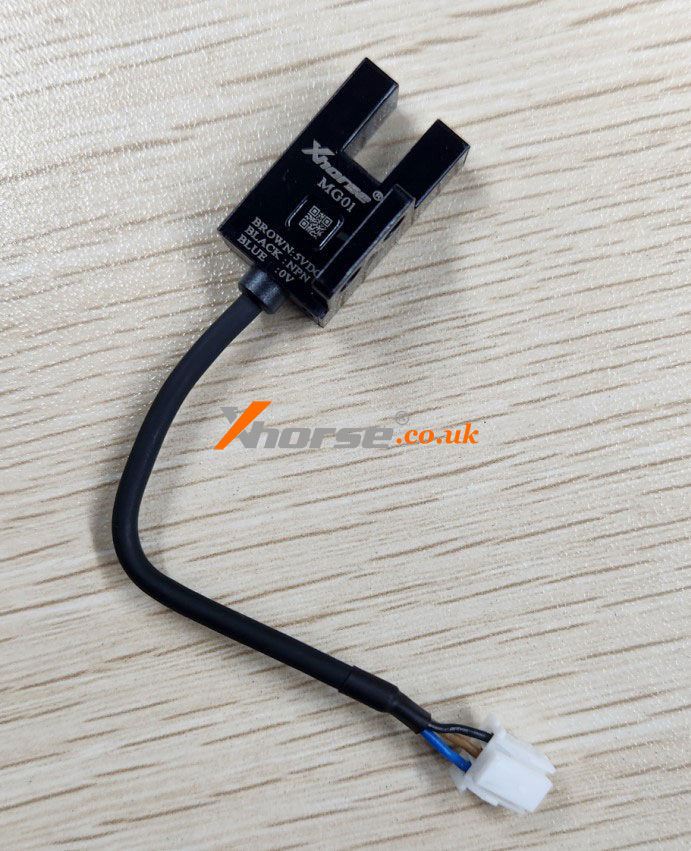
Y/Z-Axis Fault: Replace the faulty sensor (refer to the images for the locations of the old and new sensors).
Image 1: Z/Y-axis sensor positions.
Image 2/3:* Old vs. new sensor appearance.
X-Axis Fault: Contact technical support (replacement is complex).
Key Notes:
DIY replacement recommended only for Y/Z-axis sensors.
X-axis issues require professional assistance.