Vvdi Key Tool Plus Renew Benz W211 Ecu 01

Xhorse VVDI Key Tool Plus Renew Benz W211 E220 EDC16C2 ECU

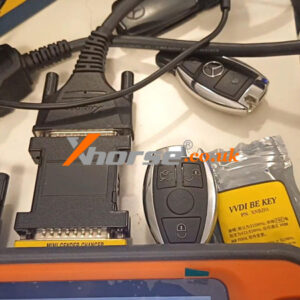
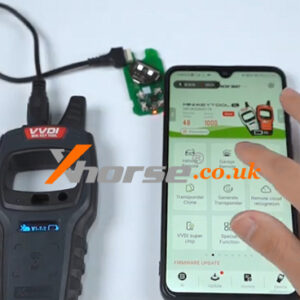
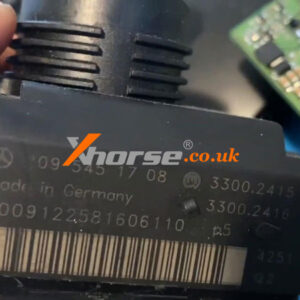
This is guided to renew 2002 Mercedes Benz W211 E220 EDC16C2 ECU with Xhorse VVDI Key Tool Plus Pad. Only 2 steps in minutes, easy and fast. Read the procedure carefully to learn. Step1. Read & Save File Remove BOSCH ECU from vehicle, connect to VVDI Key Tool Plus: Immo programming >> Europe >> Benz >> Select from system >> Engine/Gearbox/ISM >> StartRead More…

Xhorse Xdrt20 Frequency Tester Use Guide 2

Xhorse XDRT20 Frequency Tester Quick Use Guide

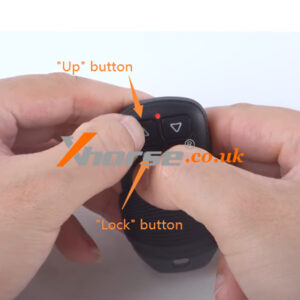
Xhorse XDRT20 Frequency Tester can support to detect different frequencies, like 315Mhz, 433Mhz, 868Mhz, 902Mhz and other major frequency bands. This is a quick guide on how to use Xhorse XDRT20 to test frequency. 1.Open the back cover to install 2 batteries, turn on the XDRT20 tester. 2.Press any button of key to detect: 1)When key frequency is in the range of 430-436MHz, the yellRead More…

Uk Banner

Xhorse.co.uk 2023 New Year Sale

Xhorse.co.uk 2023 New Year Sale 1.15 – 1.30 Order > £ 1710, get free Key Tool Plus Practical Instruction 1&2 Two Books ——————————————— VVDI MB BGA Tool: £ 683 VVDI PROG: £ 350 Dolphin XP-007: £ 563 VVDI2: £ 1016 Key Tool MAX Pro: £ 375 Key Tool Plus Pad: £ 1623 Condor XC-MINI Plus II: £ 2392 Super Chip 50PCS: £ 93 Dolphin XP005L: £ 1666 KeRead More…

Xhorse Vvdi Key Tool Max Pro Change Garage Remote Frequency (4)

Xhorse VVDI Key Tool MAX Pro Change Garage Remote Frequency

This is a tutorial on how to disassemble the XKGHG1EN Masker Garage Remote to change frequency with Xhorse VVDI Key Tool MAX Pro. How to disassemble XKGHG1EN Garage Remote? 1.Remove the cover of remote key, tear off Xhorse logo, use a screwdriver to remove the back screw; 2.Remove the back cover and take out the PCB board of remote key. How to change XKGHG1EN Garage Remote freqRead More…

Xhorse Masker Garage Remote Delete Codes Remote Clone Guide (3)

Xhorse Masker Garage Remote Delete Codes, Remote Clone Guide

Xhorse XKGHG1EN Masker Garage Remote can support to set frequency, delete code, clone remote, recover data and generate remote. This article is talking about how to check delete codes status, so that we can continue to clone remote. How to check Delete Code Status? Before cloning remote, we should check the garage remote status, to make sure remote in deleted code status. 1. Deleted code statRead More…

Xhorse Vvdi Key Tool Plus Program 2018 Porsche Macan S Akl (1)

Xhorse VVDI Key Tool Plus Program 2018 Porsche Macan S AKL

Today I’m going to use Xhorse VVDI Key Tool Plus Pad to program 2018 Porsche Macan S all keys lost. I’ve disassembled everything being currently. I’ll probably extract the D-Flash to make a key. Generate Key on Bench Connect Porsche Solder-free Adapters to BCM & Key Tool Plus. Immo programming >> Porsche >> New Porsche key – generate dealer key >> Select a blank key Read More…

Xhorse Masker Garage Remote User Manual Set Frequency 01

Xhorse Masker Garage Remote User Manual: Set frequency

Xhorse Masker garage remote has a special design and is easy for customers to use. It supports remote cloning (remote clone from original remote), set frequency, clear code, and data recovery functions. It also supports remote generation for a variety of garage remote brands, frequency edition by VVDI KEY TOOL series devices. This article will focus on explaining one of Masker Garage Remote’s fRead More…

Xhorse Vvdi Mini Key Tool Generate Cloud Key Option Possible (1)

Xhorse VVDI MINI Key Tool Generate Cloud Key Option, Possible?

Question: Can I use Xhorse VVDI MINI Key Tool to generate Toyota Verso 89070-47100 ASK 433 cloud key option? Answer: As we can see, the Verso 89070-47100 ASK 433 is a cloud option. For cloud remote option, please use XK wire remote to generate online via VVDI2, Key Tool Max and Key Tool Plus. Due to the mass of cloud data, MINI Key Tool is unable to generate this option. Please use the abRead More…

Condor Xc Mini PLus Error Code 56 Solution 01

How to solve the error code: 56 on Xhorse Condor XC Mini Plus ii

Customer problem: My Condor XC Mini PLus II cutting machine has the following error, how to fix it? Solution: You need to disassemble the device to check. Here are the steps: 1. Take out the screws shown in the picture below. 2. Pull out the entire motor to expose the entire motor housing and remove the screws to remove the motor housing. 3. After removing the mRead More…