Condor Xc Mini Plus Ii Update 01

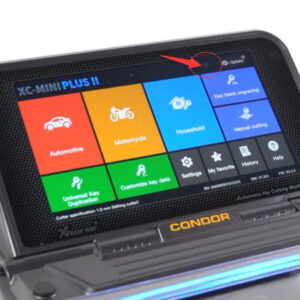
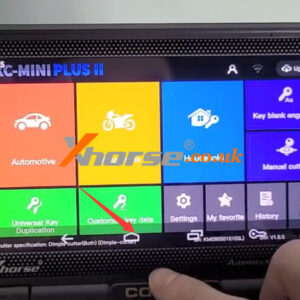
Xhorse Condor XC Mini Plus II Update: Easier and Faster

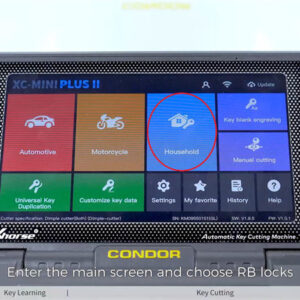
When you receive your key cutting machine, how will you update it? Using a personal computer, download an upgrade kit, install the kit, connect the PC to the machine with a USB cable, and finally, you can update the device. These tedious processes are not required in the new condor xc mini plus ii. It allows users to directly update the system, APP, firmware, and database on the machRead More…

Xhorse Key Tool Max Mini Obd Tool Add Toyota Corolla Altis Key (1)

Xhorse Key Tool Max + MINI OBD Tool Add Toyota Corolla Altis Key

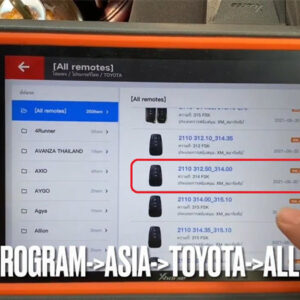
How to use Xhorse VVDI Key Tool Max + MINI OBD Tool to program a new smart key for Toyota Corolla Altis? Very simple to be done by OBD in 3 minutes. Steps A working key & a new key are required. Insert MINI OBD into car OBD2 connector. Connect to Key Tool Max via Bluetooth. Go access Immo programming >> Toyota >> Select by type >> Smart key system >> Type 3 &Read More…

Xhorse Condor Xc Mini Plus Cut Hon66gp Key In Mins (1)

Xhorse Condor XC-Mini Plus Cut HON66GP Key in Mins

Xhorse Condor XC-Mini Plus supports cutting a HON66GP key by bitting codes in minutes. Since I have the original bitting codes, it’s easier to cut keys in this way. Firstly , fix a key blank to be cut on clamp, press Find bitting >> HON66GP >> Confirm >> Input bitting codes: 211351, 241351 >> Cut Condor XCMini machine will start cutting. Just wait until stoppeRead More…

Check Xhorse Mini Key Tool Id48 96 Bit Tokens Points (1)

Where to Check Xhorse MINI Key Tool ID48 96 Bit Tokens & Points?

This is a tip on how to check Xhorse VVDI MINI Key Tool ID48 96 bit tokens & points. It can be used for 96bit ID48 cloning, 100 points, or 1 token each time. Where to check ID48 96 Bit Tokens & points? Go to Xhorse app MINI Key Tool page, Transponder clone >> Clone >> ID48(96 bit) online calculation >> Free token Here’s allowed to check tokens & poinRead More…

Xhorse Vvdi Key Tool Max Program Volvo Fh12 Akl Via Eeprom (6)

Xhorse VVDI Key Tool Max Program Volvo FH12 AKL via EEPROM

How to program a dealer key for Volvo truck FH12 all keys lost with Xhorse VVDI Key Tool Max by loading EEPROM? Following I’m gonna show you. 1. Read & Save EEPROM Immo box location: behind the dashboard of the truck. Remove dashboard to take out the immobilizer box. Locate 93C66 chip, then solder it with ORANGE5 programmer for reading. Save data file. Transfer the file into VVDIRead More…

Xhorse App Exchange Points To Token

Xhorse Spring Festival Promotion: Buy 2000 Points Get 1000 Free!

Xhorse Spring Festival Promotion is coming!!! Buy 2000 points get 1000 free, total exchange 15 MB Tokens, only £115. Buy 1000 points get 400 free, total exchange 7 MB Tokens, only £58. This activity is limited to the exchange of points while stock lasts. The following conditions must be met meanwhile: 1. Users should have VVDI MB or VVDI Key Tool Plus device; 2. Users should have regisRead More…

Xhorse Dolphin Ii Xp005l Find Bitting Codes All Key Lost (1)

How to Find Bitting Codes with Xhorse Dolphin XP005L AKL?

Just got new model Xhorse Dolphin XP005L Key Cutting Machine recently. Find bitting codes when all key lost is the one feature I was most pleased with. I can fill in a quick insta code to easily find out key type. Following I’m gonna show how to do. Taking this 1410 insta key number as an example. I was looking for this key many times, but they were not accurate. Let’s try on this machine.
Read More…

Xhorse Vvdi Key Tool Plus Add Volvo Xc60 2018 Smart Key Solder Free (1)

Xhorse Key Tool Plus Add Volvo XC60 2018 Smart Key Solder-Free

Xhorse VVDI Key Tool Plus supports to program of a new smart key for 2009-2018 VOLVO XC60 without soldering. Just working with VOLVO Solder-free Adapters, actually easy and simple to save much time. It needs to disassemble CEM & KVM module from the vehicle. The procedure includes reading CEM & KVM IMMO data & key programming. Check the steps below to learn how to do it. Read Read More…

How To Use Xhorse Key Reader 3

How to identify keys using Xhorse key reader

Xhorse key reader is a professional and portable key identification device, capable of quickly and accurately identifying almost all car and motorcycle keys (including metal, aluminum and plastic keys) on the market. This article will teach you how to use this key reader to identify keys. Video guides: https://youtu.be/C03APVnTVw0 First, connect it to power and turn it on. The screen Read More…

Solution Xhorse Vvdi2 Failed To Identify Firmware (1)

Solution: Xhorse VVDI2 Failed to Identify Firmware

How to do in case Xhorse VVDI2 Software Upgrade Kit failed to identify firmware when upgrade? Reason for this problem may because of Windows security settings. Follow the operation guide below to solve the problem step by step. Operating Steps 1. Go first to the Control Panel >> System Security >> Windows Update >> Enable or disable automatic updates, set to “Never check foRead More…