Xhorse Bonus Points Tokens How To Earn Use Rewards (1)

Xhorse Bonus Points & Tokens: How to Earn, Use&Rewards?

Xhorse offers a bonus points and token system that allows users to perform Online Calculations, generate keys, and unlock exclusive benefits. This guide explains how to earn, use, and check your bonus points and tokens efficiently. Types of Bonus Points and Tokens There are two categories: 1. Remote Bonus Points & Tokens – Used for remote key generation and calculations. 2. MB Bonus PoRead More…

Xhorse Vvdi Key Tool Max Pro Generate 1996 2003 Toyota Keys (1)

Can Xhorse Key Tool Max Pro Generate 1996-2003 Toyota Keys?

If you’re wondering whether the Xhorse VVDI Key Tool Max Pro can createkey too replacement keys for 1996-2003 Toyota vehicles, the answer is yes. This powerful tool supports generating keys and remotes for older Toyota models with ease. How to Generate a Toyota Key (1996-2003) by Key Tool Max Pro? 1. Select the Correct Option: Choose “Old Toyota FSK 314” in the tool’s menu to start the Read More…

Fixed Xhorse Vvdi Mb Fbs3 Keylessgo Key Battery Drain (1)

How to Fix Xhorse VVDI MB FBS3 KeylessGo Key Battery Drain?

Problem: Users of the Xhorse VVDI MB FBS3 Smart Key have reported issues with excessive battery drain, leading to frequent battery replacements. This problem often stems from a design flaw in the key fob, where improper handling can cause a short circuit, resulting in rapid battery depletion. Solution (3 Steps) 1. Open the Key – Carefully pry apart the key fob. 2. Insulate the ContaRead More…

Xhorse Xtpms Sensor Setup Guide Step By Step Learning Method (1)

Xhorse XTPMS Sensor Setup Guide: Step-By-Step Learning Method

The Xhorse Universal XTPMS Sensor is a programmable dual-frequency sensor compatible with 98% of vehicle models. This guide explains the Learning Method for replacing TPMS sensors when the original sensor ID is unavailable. Tools Required Xhorse VVDI Key Tool Max Pro (with updated TPMS function) XDTPM1ENTPMS Sensors Vehicle (e.g., Ford Transit in this example) Step-by-Step Learning MeRead More…

Solved Xhorse Dolphin Xp 005 005l Display Error 6 56 3 1

(Solved) Xhorse Dolphin XP-005/XP005L Display Error 6/56/3

If your Xhorse Dolphin XP-005/XP005L displays Error 6/56/3 during key decoding or cutting, it indicates a conductivity problem with the machine. This guide will help you troubleshoot and resolve the issue. Step 1: Enter Conductivity Testing Mode 1. Navigate to the conductivity measurement interface on your Dolphin XP-005/005L. 2. Click “Start” to begin testing. If tRead More…

Copy Original Sensor Ids With Xhorse Xtpms Key Tool Max Pro Guide (1)

How to Copy Original Sensor IDs with Xhorse XTPMS &Key Tool Max Pro?

This guide explains two methods to copy the ID number from an original TPMS sensor to a new Xhorse Universal XTPMS Sensor, enabling the new sensor to work without additional programming. Applies to: The original sensor ID number can be obtained. The vehicle supports OBD communication. Method 1: Manual Copying (Using the Original Sensor ID) 1. Locate the ID Number: 1) Find the ID nuRead More…

Upgrade Your Locksmith Tools Xhorse Condor Xc 003 Key Cutter (2)

Upgrade Your Locksmith Tools: Xhorse Condor XC-003 Key Cutter

Upgrade your key grinding experience with the Xhorse CONDOR XC-003, a high-performance grinding wheel designed for professionals and locksmiths. Whether you’re duplicating standard keys or tackling complex side-cut keys, this machine is built to deliver exceptional results every time. Pre-orders are now available – secure yours today! Why Choose the Xhorse Condor XC-003? ✅ High-PrecisionRead More…

Don't Miss The Xhorse Mid Year 618 Sale 10% Off June 10 19 (9)

Don’t Miss the Xhorse Mid-Year 618 Sale! 10% Off (June 10-19)

The wait is over! www.xhorsetool.co.uk is thrilled to announce its Mid-Year 618 Sale, offering incredible discounts of up to 10% off on most of our hottest products. No coupon codes are needed – simply shop and watch the prices drop automatically at checkout. Limited-Time Offer: June 10 – 19th Why You Shouldn’t Miss This Sale? Exclusive Discounts: Save big on top-selling items, with auRead More…

Solved Xhorse Digital Smart Key Not Allowed Used In Current Region (2)

Solved: Xhorse Digital Key “Not Allowed Used In Current Region (1_IE)

If you’ve encountered the frustrating “This device is not allowed to be used in the current region! (1_IE)” error message with your Xhorse XSBTK0EN Bluetooth Digital Smart Key, that’s because you’re using the device outside its intended region. Why Does This Error Occur? Xhorse manufactures two distinct versions of its Digital Smart Key: 1. Global Version: Works worldwide without regional resRead More…

Xhorse Key Tool Midi Versions Compared Basic Vs Advanced Vs Enhanced (1)

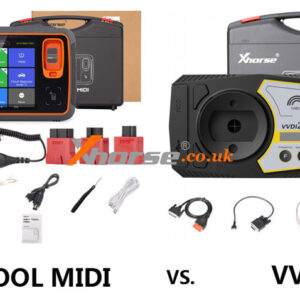
Xhorse Key Tool MIDI Versions Compared: Basic vs Advanced vs Enhanced

The latest XHORSE KEY TOOL MIDI tool comes in three versions: Basic, Advanced, and Enhanced. What’s different between the three versions? This guide breaks down their differences to help you choose the right one. Pre-order yours today! Comparison Table IMMO function Basic version Advanced version xhorse key tool midi basic version version Notes Volkswagen/Audi/Skoda 4th Gen
Read More…