How To Clone Bmw G U Chassis Bdc3 Key With Xhorse Key Tool Plus 1

How to Clone BMW G/U Chassis BDC3 Key with Xhorse Key Tool Plus?

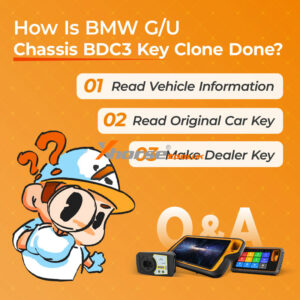
This guide provides a step-by-step tutorial on cloning a BMW G/U Chassis BDC3 key using the Xhorse VVDI Key Tool Plus. The process is simple and applicable to Key Tool MIDI and VVDI2 as well. Step 1: Read Vehicle Information ① Enter the Immo Programming menu and select the BMW model. ② Choose G/U Chassis BDC03/BCP IMMO System. ③ Click Start Programming. ④ Click Read Vehicle InfoRead More…
How To Fix Xhorse Vvdi2 Software Dont Have This Authorize Error 1

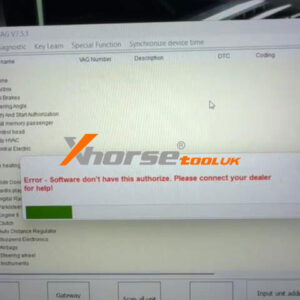
How to Fix Xhorse VVDI2 Software Doesn’t Have This Authorization Error?

Error Message: “Error – Software doesn’t have this authorization. Please connect with your dealer for help!” This prompt typically appears when the Xhorse VVDI2 device cannot verify its software license or authorization status. Follow the steps below to resolve the issue quickly. Step 1: Check Device Authorization Status ① First, read the device to confirm whether the authorization is acRead More…

Solved Xhorse Vvdi2 The Device Battery Is Lower Error 2

Solved: Xhorse VVDI2 “The device battery is lower” Error

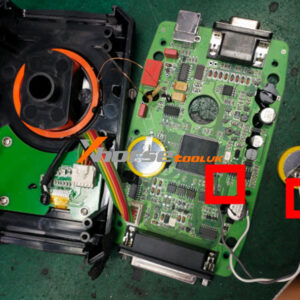
Problem: I’ve been using the Xhorse VVDI2 for 3 years, but it has been giving up with a warning recently: “The device battery is low, please contact your dealer for replace battery.” This doesn’t mean your device is faulty or needs to be sent back. In most cases, the battery can be replaced easily – and you can do it yourself. Battery Type The VVDI2 uses a standard CR2450 coin cell battRead More…

Xhorse Key Tool Midi Vs Vvdi2 In Depth Comparison Review (3)

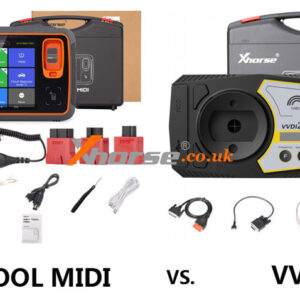
XHORSE KEY TOOL MIDI vsVVDI2: In-Depth Comparison & Review

The XHORSE KEY TOOL MIDI and VVDI2 are both powerful key programming tools, but they serve different needs. Here’s a clear breakdown of their capabilities: Comparison Table Item KEY TOOL MIDI VVDI2 Full Ver. Image Mercedes-Benz FBS3 √ (only enhanced version with FBS3 adapter) √ VW/Audi/Skoda 4th Gen √ (Some models require a programmer) √ (Some modRead More…

Xhorse Bdc2 Adapter Vvdi2 Read Bmw Immo Data Guide (1)

Xhorse BDC2 Adapter + VVDI2 Read BMW IMMO Data Guide

Learn how to extract immobilizer data from a BMWG Series BDC2 module using the VVDI2 tool and XHORSE XDNPBGGL Adapter. This step-by-step guide covers adapter connection, reading security data, backup, and dealer key programming. Follow these instructions to simplify immobilizer access and key generation. Tools Required Xhorse VVDI2 BMW-G BDC2 Adapter 12V Power Supply Computer Step-byRead More…

Xhorse Vvdi2 Godiag Gt110 Make Vw Nec 24c32 Dealear Key (2)

Xhorse VVDI2 + GODIAG GT110 Make VW NEC 24C32 Dealear Key

This is a tutorial on how to use Xhorse VVDI2 + GODIAG VAG Test Platforms GT110 to make a dealer key for VW IMMO4 NEC 24C32 by bench. Connect VVDI2, GODIAG GT110& immo dashboard to the PC. Power on GT110, and press the red button. We can see the dashboard light. 1) This indication means that the key is not recognized. 2) The light of the key identifier flashes for a long time indicatingRead More…

Xhorse Vvdi2 Godiag Gt112 K Line Make Vw Dealer Key (1)

Xhorse VVDI2 + GODIAG GT112 K-Line Make VW Dealer Key

Today I’m gonna show how to use Xhorse VVDI2 + GODIAGGT112 K-Line to make a dealer key for VW Golf IV 1999 VDO-93C86. Connect GT112 K-Line to VVDI2 & MQB dashboard. 1. This flashing indicates that the key is not recognized. 2. If it turns off for 3s, the key is not recognized or the key chip does not match. Open VVDI2 software. VW >> Instruments >> Connect >>Read More…

Vvdi Key Tool Plus Vw Immo4 Service Mode Akl 1

Xhorse VVDI Key Tool Plus VW IMMO4 Service Mode AKL Guide

If you have issues while using Xhorse VVDI2 or Key Tool Plus in service mode, All Keys Lost, there’s no more to worry about! This guide will guide you through the operating methods and essential precautions to help you navigate the process smoothly. The following login modules are supported for the service model AKL. CDCXX+24C32, NEC24C64(2013-) A3/TT/R8(CDC32XX), AUDI A1, AUDI Q3 NEC24CRead More…

Xhorse Vvdi Key Tool Plus Mlb Tool Add Audi A4l Key (1)

Xhorse VVDI Key Tool Plus + MLB Tool Add Audi A4L Key

Xhorse MLB Tool supports adding keys for Audi, Porsche, VW, Lamborghini, Bentley, and other MLB vehicle models. It can work either independently with Xhorse VVDI Key Tool Plus or in conjunction with VVDI2 and PC software. Here we’ll show how to add Audi A4L smart key with Key Tool Plus + MLB Tool. Check the video to learn:  Preparation 1. Connect MLB-TOOL to Key Tool Plus. The short URead More…

Xhorse Multi Prog Vvdi2 Decode Vw Golf Mqb D70f3532 Immo (2)

Xhorse Multi-Prog + VVDI2 Decode VW Golf MQB D70F3532 IMMO

Today I’m gonna show how to decode encrypted 2018 VW Golf MQB D70F3532 immo data with Xhorse Multi-Prog + VVDI2 programmer. Before decryption, I’ll use the Xhorse MQB48 Adapter to get data without soldering at first. Step1. Get Encrypted Data File 1) Disassemble the MQB module from the vehicle. Plug XDNP83 solderless adapter into the MQB board, then connect to Multi-Prog. 2) Open Multi-PROG sRead More…