xhorse-mini-prog-configuration-overview-01

Xhorse MINI Prog Configuration Overview

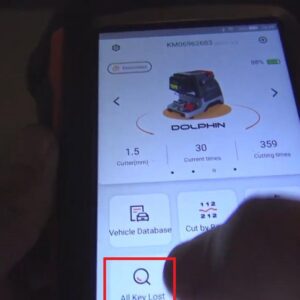
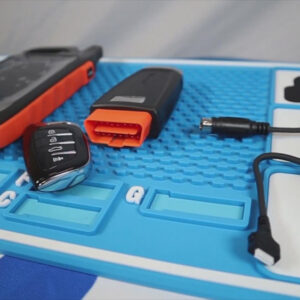
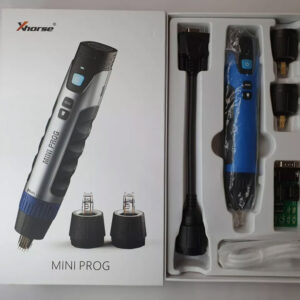
In this post, I’ll show you Xhorse MINI Prog configuration. As we can see, the Xhorse MINI Prog configuration contains an Xhorse MINI Prog, 3 Pin headers, an EEPROM adapter, a DB15 cable, and a USB cable. Now, I’ll introduce them one by one. 1. Xhorse MINI Prog This is Xhorse MINI Prog. There are 3 buttons on the front side of Xhorse MINI Prog, namely, the On/Off button,Read More…

use-mini-prog-to-read-bmw-fem-bdc-data-03

Use Xhorse MINI Prog to Read BMW FEM/BDC Data

This is BMW FEM/BDC PCB. Now, I’ll show you how to use Xhorse MINI Prog to read BMW FEM/BDC data. Here is the procedure: First, we need to take the emery wand to polish the eight corners by removing grease and waterproof glue. Press MINI Prog on the chip. After pressing, select “EEPROM and Flash” on the Xhorse app. Then select the manufacturer. Choose “25256”, then rRead More…

why-release-vvdi-key-tool-plus-05

Why Release Xhorse VVDI Key Tool Plus?

Why release VVDI Key Tool Plus? Before answering this question, let’s turn our attention to the evolution of Key Tool series products first. 1. VVDI Key Tool The first Key Tool product is VVDI Key Tool, the beginning of the whole series. VVDI Key Tool has screen, built-in battery, Bluetooth, buttons, and calculator. It can finish various tasks without connecting to smartphone. But it is noRead More…

what-functions-does-key-tool-plus-have-01

What Functions Does VVDI Key Tool Plus Have?

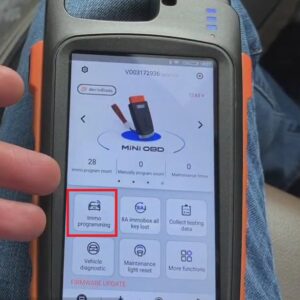
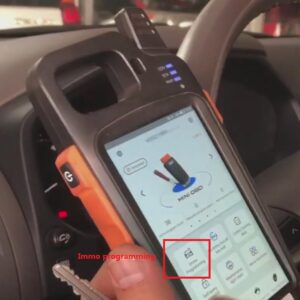
What functions does VVDI Key Tool Plus have? Read this post carefully and you will find the answer. Switch on Key Tool Plus, and we can see its main operation interface. We’ll talk about these functions one by one. 1. Immo Programming Click “Immo Programming”, then we can see it supports plenty of car models, including luxury cars like Volkswagen, Audi, BMW, Mercedes-Benz, PorscheRead More…

use-xhorse-mini-prog-to-read-porsche-bcm-data-14

Use Xhorse MINI Prog to Read Porsche BCM Data

This post will explain how to use Xhorse MINI Prog to read Porsche BCM data. Here is the procedure: 1. Align the circuit board with the adapter, then use an emery magic wand to polish the contact points. 2. Install the adapter and use the fixing piece to fasten it. 3. Connect Xhorse MINI Prog with the adapter. 4. Select “Immo” in the Xhorse app and enter “Porsche”>>Read More…

key-tool-plus-benz-key-token-collection-point-exchange-01

Use Xhorse Key Tool Plus to Collect Bonus Points & Exchange Tokens?

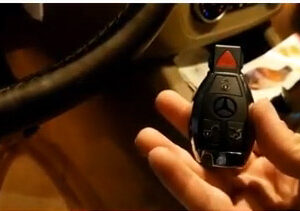
In this post, I’d like to show you how to use VVDI Key Tool Plus to collect bonus points of Benz key and how to use bonus points to exchange tokens via the Xhorse app. The reason to obtain tokens: To calculate the password for Benz car (1 token for adding a key, 2 tokens for programming a key when all keys lost). First of all, let me show you the ways to get points: 1. VVDI Key Tool PlusRead More…

vvdi-key-tool-plus-function-overview-01

VVDI Key Tool Plus Functions Overview

Here are the buttons of VVDI Key Tool Plus. Now, I’ll introduce the functions of these buttons one by one. 1. Immo Matching OBD matching, VVDI2, BMW tools, Benz tools & Benz special tools are all under this directory. If you want to do OBD matching for a BYD vehicle, click “Immo matching”>>“BYD”, then you can operate it according to its vehicle type and vehicle year. Read More…

vvdi-key-tool-plus-changes-keyless-go-fbs3-frequency-01

VVDI Key Tool Plus Changes Keyless Go FBS3 Frequency

For anyone who wants to know how to change Keyless Go FBS3 frequency via VVDI Key Tool Plus, you will find the answer in the post listed below. 1. Put the key into the detection coil of VVDI Key Tool Plus and we can detect the key’s frequency is 433.97MHz. 2. Remove the key from the detection coil of Key Tool Plus. Press the “Lock ” button of the key, then press the “Trunk” button Read More…