fixed-key-tool-plus-hyundai-8a-smart-key-programming-password-error-1

Fixed! Key Tool Plus Hyundai 8A Smart Key Programming Password Error

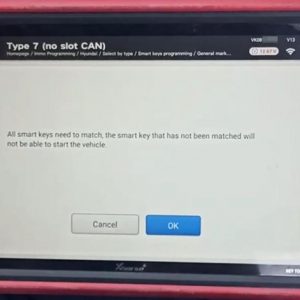
One customer gave feedback that VVDI Key Tool Plus gave an error after he entered the PIN code and tried to press the start button. The detailed condition: Tried to add a smart key to Azera 2013 8A, entered the pin code when trying to touch the start button it gave an error. Then tried again with the same password it gave the wrong password error. What I do not understand is if it was a wrong Read More…

xhore-mini-prog-programmer-wifi-pair-update-01

Xhorse Mini Prog Programmer Wifi Pair to APP and Update Guide

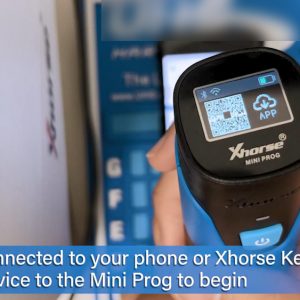
How to pair Wifi to APP and install Updates to Xhorse Mini Prog Programmer in step-by-step. Let’s start. With Wifi connected to your phone or Xhorse Key Tool Max, pair your device to the Mini Prog to begin. Select “More Functions”, and then “Connection Mode” and Wi-Fi connection”. Then, select pair button at the top left of the home screen and your device from the list. AlloRead More…

how-to-choose-xhorse-universal-remotes-with-different-colors-1

How to Choose Xhorse Universal Remotes with Different Colors?

This article is about to explain the difference of VVDI Universal Remotes. Different keys have different colors although they are similar in appearance. Comparison Chart:                        Model Information Wired Key Wireless Key Super Remote Smart Remote Target User The user who only matches remote, or those who have their own transponder toRead More…

can-xhorse-programmer-add-key-for-vw-with-nec-johnson-cluster-8

Can Xhorse Programmer Add Key for VW with NEC/Johnson Cluster?

Xhorse Key Programmers (VVDI2/VVDI Key Tool Plus) can add key for VW cars with NEC/Johnson cluster via certain adapters or software. For VW with NEC cluster, you may need to switch the cluster into service mode by NEC Cluster Set, and then you can add key by VVDI2/Key Tool Plus. For VW with Johnson cluster, you may need to contact VAG dealer to get Immo data, and then load it into like VVDI2 tRead More…

VVDI Prog V5.0.8

Xhorse VVDI Prog V5.0.8 Free Update And Download

Xhorse VVDI PROG has been released the latest version V5.0.8 on Oct.28th,2021. 1.Free Download V5.0.8 VVDI PROG Software https://we.tl/t-PJCP3BZGvA Password:123456 (Security , 1.28GB  ) 2.V5.0.8 VVDI PROG Update Info * This version DON’t need update firmware * Fix LACROSSE-BCM(2008) diagram in <4-IMMOBILIZER>-><BUICK> + Add MB91F109, MB91F127, MB91F128Read More…

Fixed! VVDI Key Tool Plus AKL Fabia 2008 learn key not accept immobilizer

Fabia 2008 AKL, I used Xhorse VVDI Key Tool Plus to make a key by lock, read the pin from the engine control unit. But when learning the key, the unit does not accept immobilizer, just keeps lighting up (not flashing).I tried ID48 and ID48 tp 24, doesn’t work Expert experience sharing: Before you program a new key, put the ignition on for 30 min, after this just learn the key., withoutRead More…

xhorse-vvdi-key-tool-plus-cannot-be-charged-and-opened-up-solution-1

Xhorse VVDI Key Tool Plus Cannot be Charged and Opened Up Solution

A customer gave feedback that he couldn’t charge and opened up VVDI Key Tool Plus Pad. Our xhorse.co.uk engineer answered: Connect the device to a power supply tester and a car by OBD cable, to see if you can open it up. If you cannot turn it on bench or in the car. Take apart the device to check the battery connection. 3 steps to check built-in battery connection of Key TooRead More…

xp005l

Dolphin XP005L Dolphin II Universal Duplication

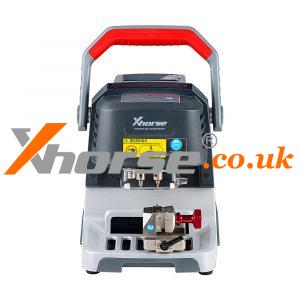
Dolphin XP005L Dolphin II Universal Duplication 1) Click on “Universal Duplication”. 2) Take the track external key as an example, click on “4 Track external” to enter the corresponding interface. 3) Choose the right alignment and clamp surface. 4) Click on “Learn Key” to start and there will be a corresponding pop-up prompt after finished. 5) The “Cut Key* button will be cRead More…

010

How to use cut by code for Dolphin XP005L Dolphin II

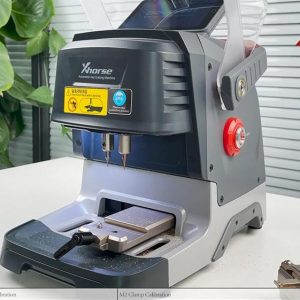
How to use cut by code for Dolphin XP005L Dolphin II? 2 ways of using the key code to make a key: Method 1: Making a key without the original key: Use some special tool to get the key code. 1) Click on “Cut By Code” 2) Select or input a key blank type. 3) Select the keylype. 4) Fix the key according to the picture show, select proper side of damp and fix the key in corrRead More…